

 16 minutes read
A consultation gets booked while an attorney is in court. An intake call lands during a team meeting. A case coordinator sees one deadline on a shared calendar, while the responsible lawyer has another version in Outlook. By the time someone notices the conflict, a prospective client has waited, a filing task is late, or staff are spending the afternoon repairing a schedule that should have been reliable.
Calendar management software can prevent those failures, but only if you evaluate it as firm infrastructure rather than as a collection of meeting links. The right system connects client booking, shared availability, attorney coverage, case milestones, reminders, and permissions. It should also fit the firm's existing tools, including Google Workspace or Microsoft 365, video platforms, CRM systems, and legal practice management software.
My recommendation is direct: choose based on integration depth, collaboration requirements, usability, and security controls. A specialized scheduling platform may be excellent for intake but weak for matter coordination. A general calendar may be familiar but lack routing and booking controls. A team optimization tool may protect attorney focus time without managing client-facing appointments well.
This guide compares those categories through the realities of solo and midsize law firms. It covers how calendar tools evolved, what to test, how legal integrations affect daily work, which tool fits intake or litigation workflows, and how to implement the system without disrupting billable operations.
A conflict appears during intake. The coordinator offers a consultation slot that looks open, but the assigned attorney is in court. Elsewhere, a case milestone sits on a shared calendar without the preparation task or client reminder attached. Calendar management software should prevent these failures by coordinating the firm's workflow, not merely displaying dates.
Evaluate the system against five operational questions: who can meet, when they can meet, what the meeting concerns, who may change it, and what must happen afterward. Intake staff need attorney-aware booking and conflict checks. Case teams need court dates, discovery reviews, client calls, and preparation meetings organized without exposing restricted matter information. Managing partners need firm-wide visibility while preserving private events and permission controls.
A calendar platform can combine shared availability, booking pages, routing rules, reminders, room reservations, and connections to legal practice management systems. Recent calendar scheduling market coverage describes the category's shift toward workflow coordination, where integrations and exception handling matter as much as date management.
Choose according to the firm's dominant work. An intake-heavy personal injury practice should prioritize rapid client booking, conflict control, and reliable attorney routing. A litigation practice should give greater weight to milestone coordination, shared visibility, and permissioned access. Solo attorneys generally benefit from simple configuration, while midsize firms may accept additional setup to gain stronger controls.
Delegation affects the decision. A remote administrative professional can monitor booking requests, reconcile attorney calendars, and update matter systems when the firm defines permissions, escalation rules, and ownership. Firms assessing administrative assistants for calendar and back-office coordination should evaluate the software alongside the delegation plan. No platform can correct unclear responsibility.
The calendar on a lawyer's desk began as an isolated utility. Early digital calendars appeared in the 1960s. Dan Bricklin and Bob Frankston introduced the Planner application on Apple II in 1979, Apple Lisa added a Calendar desk accessory in 1983, and Macintosh Calendar followed in 1984. By the early 1990s, Microsoft Outlook helped bring calendar, email, and contact management into one workplace toolset, as outlined in this history of calendar software development.
That sequence changed the job of a calendar. A lawyer no longer had only a personal list of appointments. The calendar became connected to communications, contacts, and workplace coordination. For a firm, that distinction matters because a consultation, court appearance, client callback, and internal review meeting all compete for the same limited attorney availability.
Online calendars pushed collaboration further. Yahoo Calendar launched in 1998, and Google Calendar arrived in 2006 with syncing and sharing that made coordination easier across teams and time zones. A firm with remote staff, multiple offices, or attorneys working away from the office could now coordinate without relying on a receptionist's desktop calendar as the only source of truth.
The historical pattern explains why integration now matters more than a polished calendar interface. Modern firms expect a booking to create or update related records, send a meeting link, notify the right people, and preserve an accurate availability view. A standalone calendar may display an appointment, but it won't necessarily route a personal injury lead to the right intake owner or connect a deadline to a matter.
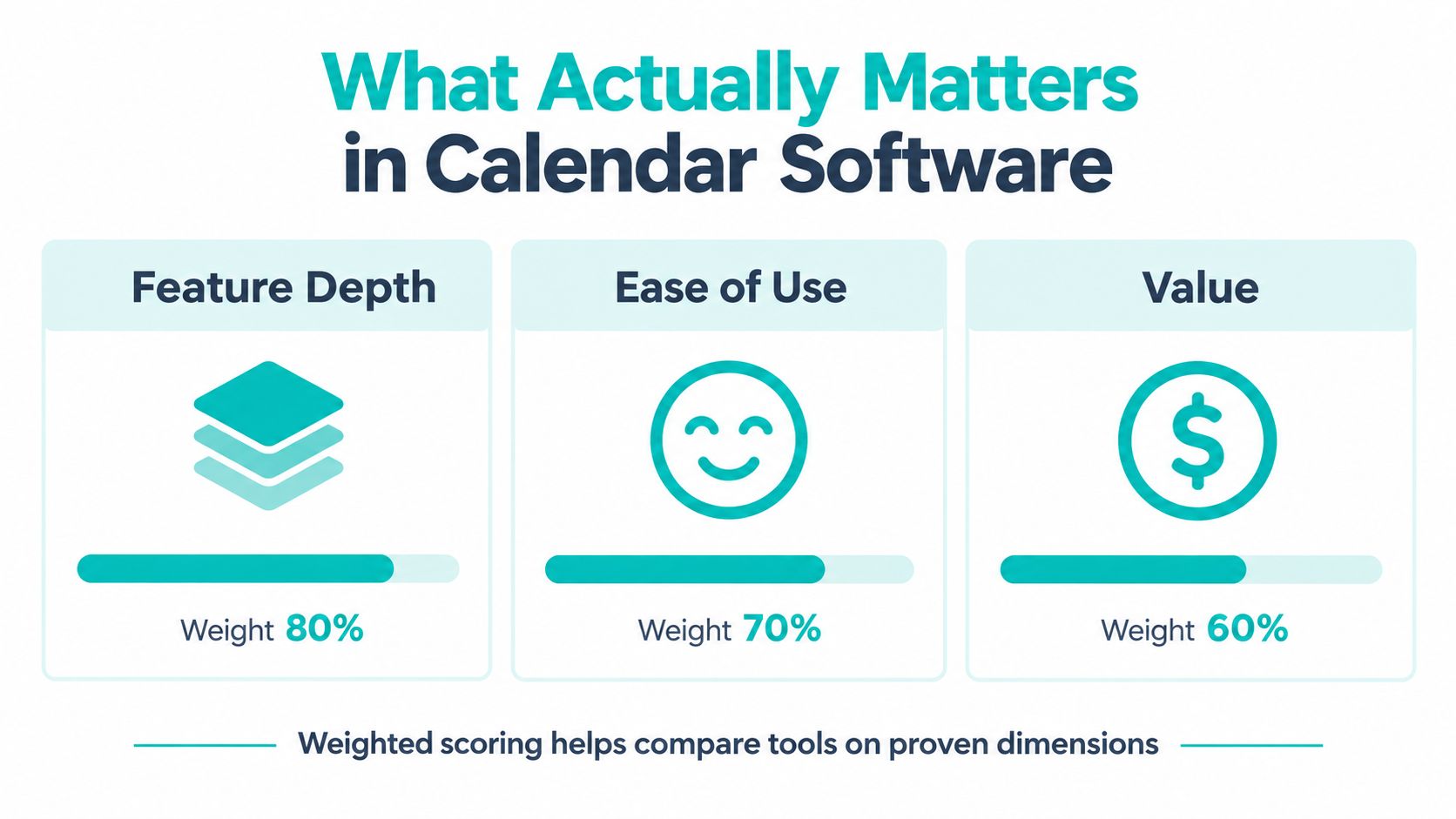
Independent 2026 comparison methods commonly assess calendar products through feature depth, ease of use, and value. One benchmark gives features a weight of about 40%, ease of use 30%, and value 30%, while another scores core functions on a 0–5 scale before converting the result to a percentage, according to this calendar management software comparison methodology.
The practical lesson is simple. Feature depth matters only when it supports the firm's workflow. Ease of use determines whether attorneys and staff maintain accurate calendars. Value includes the cost of complexity, duplicate entry, training, and missed coordination, not just the subscription price.
A feature list can make almost every product look capable. Most tools offer some version of scheduling, reminders, sharing, or integrations. The meaningful question is whether those functions work together in the specific sequence your firm follows.
A useful comparison starts with three dimensions:
Specialized scheduling tools such as Calendly tend to fit client booking and high-volume appointment coordination. General-purpose platforms such as Google Calendar and Microsoft Outlook Calendar often provide familiar shared scheduling inside the firm's existing productivity environment. Team optimization products such as Clockwise focus on protecting focus time and rearranging calendars, which can help attorneys but may not replace a client intake workflow. Feature comparisons across calendar software categories distinguish these products by integration depth, collaboration, security, compliance, and scalability.

Practical buying rule: Don't select the product with the longest feature list. Select the product that removes the most manual handoffs from your highest-risk workflow.
These tools are strongest when a firm needs a clean client-facing booking experience. A prospective client can select from approved times, while the system checks defined availability and reduces back-and-forth with reception.
The trade-off is that a booking page doesn't automatically understand legal matter context. You may still need a staff member to run a conflict check, confirm the consultation type, collect intake information, and create or update the record in Clio, MyCase, Filevine, or another practice management platform. Scheduling automation should support intake, not replace legal judgment or conflict procedures.
Google Calendar and Microsoft Outlook Calendar work well when the firm already operates inside Google Workspace or Microsoft 365. They offer a familiar environment for internal meetings, attorney coverage, and shared availability.
Their weakness appears when client booking becomes more complex. Routing, qualification, payment collection, resource management, or role-specific access may require additional tools or custom procedures. General-purpose calendars can remain the foundation, but they may not be sufficient as the only intake system.
Clockwise and similar products are designed around calendar rearrangement and focus-time protection. That's useful for attorneys who need uninterrupted drafting or preparation time, particularly when internal meetings have become scattered throughout the day.
The limitation is obvious for reception and intake. A focus-time tool may help an attorney organize commitments, but it doesn't necessarily provide the client-facing controls, matter tracking, or permission structure that a legal operations team needs.
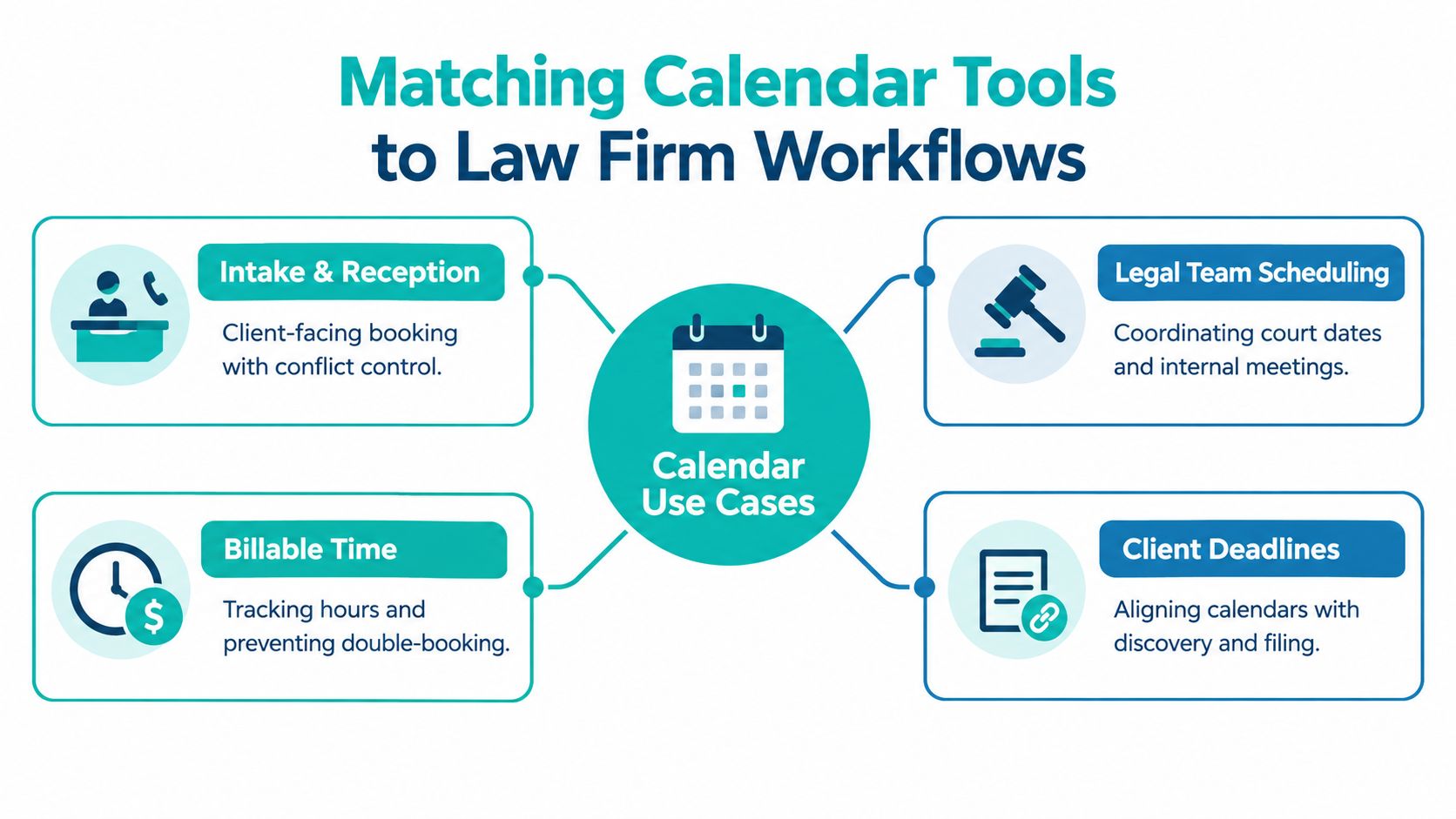
Use the categories as starting points, not rigid labels. A firm may combine a general-purpose calendar for internal coordination with specialized scheduling for consultations. The strongest setup is the one that keeps the workflow understandable for staff and minimizes duplicate updates.
A calendar platform should fit into the firm's existing application stack. Start with the systems staff already use every day, then test whether the calendar passes accurate information between them.
For most firms, the core connections include:
The integration isn't successful merely because a vendor lists an application logo. Ask what data moves, in which direction, under what permission, and what happens when a booking is changed or canceled. A consultation that appears in Outlook but never reaches the matter record creates a different kind of administrative risk.
| Evaluation Criteria | Specialized Scheduling Tools | General Purpose Calendar Platforms | Team Optimization Tools |
|---|---|---|---|
| Client booking | Strong, with booking pages and routing options | Usually requires additional configuration | Usually limited or secondary |
| Shared attorney visibility | Available, but depends on connected calendars and permissions | Core capability | Often centered on optimization rules |
| Legal practice management fit | May require an integration or staff workflow | Often serves as a calendar foundation | Usually indirect |
| Video meeting connections | Commonly supported | Typically available within the ecosystem | May depend on connected platforms |
| Permission control | Varies by plan and configuration | Often tied to organizational account controls | Focuses more on scheduling behavior |
| SSO, SOC 2, and GDPR controls | Verify the specific product and plan | Verify the specific product and plan | Verify the specific product and plan |
| Best operational use | Intake, consultations, appointment routing | Internal coordination and shared availability | Focus time and calendar rearrangement |
| Main trade-off | Can create another system to maintain | May lack specialized intake automation | May not handle client-facing workflows |
Legal calendars can contain client names, matter references, court information, opposing-party details, and confidential meeting descriptions. Treat the calendar as part of the firm's information environment, not as harmless administrative data.
Review SSO, audit logs, access controls, encryption, retention settings, vendor incident procedures, and role-based permissions. SOC 2 and GDPR may be relevant depending on the vendor, firm structure, clients, and data flows, but a label alone doesn't establish that a product fits your obligations. Requirements can vary, so confirm the firm's position with qualified counsel or a compliance professional.
AI features deserve the same scrutiny. Natural-language scheduling, intent detection, conflict identification, and recommendations can reduce repetitive coordination. They become useful when they flag a real conflict, identify the correct calendar, or suggest a workable slot. They become risky when staff assume the system understands privilege, urgency, jurisdiction, or the difference between a tentative lead and a confirmed client appointment.
Configure AI as an administrative aid. Keep humans responsible for conflict checks, sensitive matter decisions, court-related commitments, and changes that could affect client service.
The right calendar tool depends on who is using it and what failure the firm is trying to prevent. A tool that serves a reception desk well may frustrate a litigation case manager. A system that protects an attorney's drafting time may be unsuitable for online consultation booking.
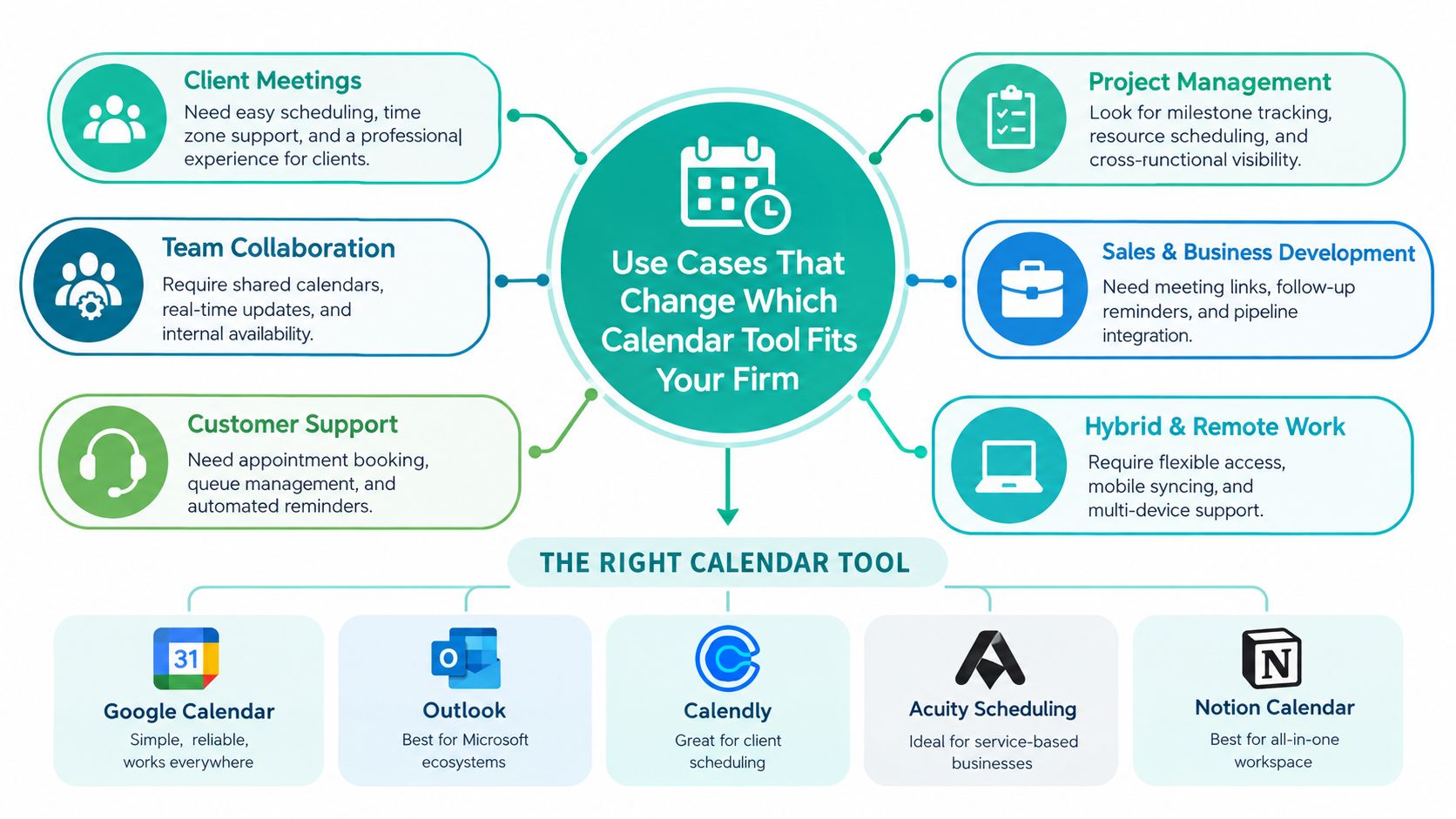
An intake desk needs speed and control. The receptionist or intake specialist should see approved consultation availability, avoid double-booking, route different consultation types correctly, and send clear confirmations. The system should also make it easy to reschedule without losing ownership or creating duplicate events.
A specialized booking platform is often appropriate here, especially when the firm receives a steady flow of prospective-client requests. But the booking event should trigger a defined intake procedure. Staff still need to collect essential information, follow the firm's conflict-check process, and create the correct record in the practice management system.
For firms that need dedicated call answering and calendar support, law firm receptionist services can be evaluated alongside the software. The service and the platform solve different problems. One supplies trained coverage, while the other supplies the scheduling controls that coverage uses.
A case manager doesn't only schedule meetings. They track depositions, court dates, discovery tasks, client follow-ups, filing deadlines, and internal preparation. Shared visibility and permissioned access usually matter more than a public booking page.
For this workflow, the calendar should connect to the matter system or operate beside it with a clearly assigned source of truth. Staff should be able to distinguish a hard deadline from a planning reminder and see who owns the next action. The tool also needs safeguards against broad sharing, especially where event descriptions contain confidential matter information.
Attorneys need protected preparation time, realistic travel or transition periods, and reliable coverage when they are unavailable. A team optimization tool may help rearrange internal meetings or preserve focus blocks, while Outlook or Google Calendar may remain the firm's primary record.
Don't let automated rearrangement move a court preparation session or client commitment without an approval rule. The software should optimize around legal priorities, not treat every meeting as interchangeable. In firms with several attorneys, establish coverage rules so intake staff know who can accept a consultation when the preferred attorney is unavailable.
A solo immigration attorney may need a straightforward booking page, bilingual intake support, and careful control over consultation types. A personal injury firm may need high-volume intake, rapid routing, and multiple staff members monitoring appointments. A family law practice may prioritize private consultations and controlled access to sensitive descriptions. A civil litigation firm may place greater weight on milestone tracking, court dates, and internal preparation.
Payment collection at booking can matter for service businesses that charge for consultations, while resource booking matters when the firm coordinates conference rooms, interpreters, or shared equipment. Neither feature deserves priority if the firm doesn't use it. Match the tool to the dominant workflow, then add complexity only when an actual operational need justifies it.
Implementation should begin with workflow mapping, not with importing every historical event. Identify the firm's appointment types, attorney availability, hard deadlines, internal meetings, intake responsibilities, and escalation rules. Then decide which system owns each piece of information.
A practical rollout checklist looks like this:
Remote staff can administer calendars effectively when the firm gives them a written playbook. That playbook should state which appointments they may book, which changes require attorney approval, how they should label events, where they should record follow-up tasks, and when they must escalate a conflict.
A virtual legal assistant can coordinate calendars and inboxes, but shouldn't make legal decisions or independently determine whether a matter is suitable for representation. The firm remains responsible for supervision, confidentiality procedures, and access management. For firms considering legal assistants for calendar and matter coordination, include software proficiency and judgment around escalation in the hiring evaluation.
Roll out the system with one workflow first, such as consultation booking. Review actual exceptions with staff, revise the rules, and expand only after the process is stable. Training should use the firm's real appointment types and permission structure, not a generic vendor demonstration.
Calendar management software should earn its place in a law firm by coordinating work that already matters: intake, attorney coverage, client meetings, case milestones, and deadlines. The decision isn't about which platform offers the most booking features. It's about whether the tool integrates with the firm's calendars and practice management systems, gives each role the right visibility, and protects confidential information through sensible controls.
Solo firms usually benefit from a simple, usable setup with dependable booking and calendar synchronization. Small and midsize firms should place more emphasis on routing, shared availability, permissions, and matter coordination. Intake-heavy practices should prioritize client-facing scheduling and rapid staff response. Litigation-focused practices should prioritize deadline ownership, milestone visibility, and safeguards around court-related commitments.
Shortlist tools by testing real workflows. Book a consultation, move it, cancel it, assign coverage, create a case milestone, and review who can see the event. Then document ownership and delegate routine administration to trained support staff so attorneys aren't expected to maintain every calendar detail themselves.
Virtual Legal Assistants connects U.S. law firms with pre-vetted LATAM professionals who can support intake, reception, calendar administration, and case coordination during U.S. working hours. If your firm needs reliable help managing consultations, attorney calendars, and deadline follow-up, visit Virtual Legal Assistants.