
 15 minutes read
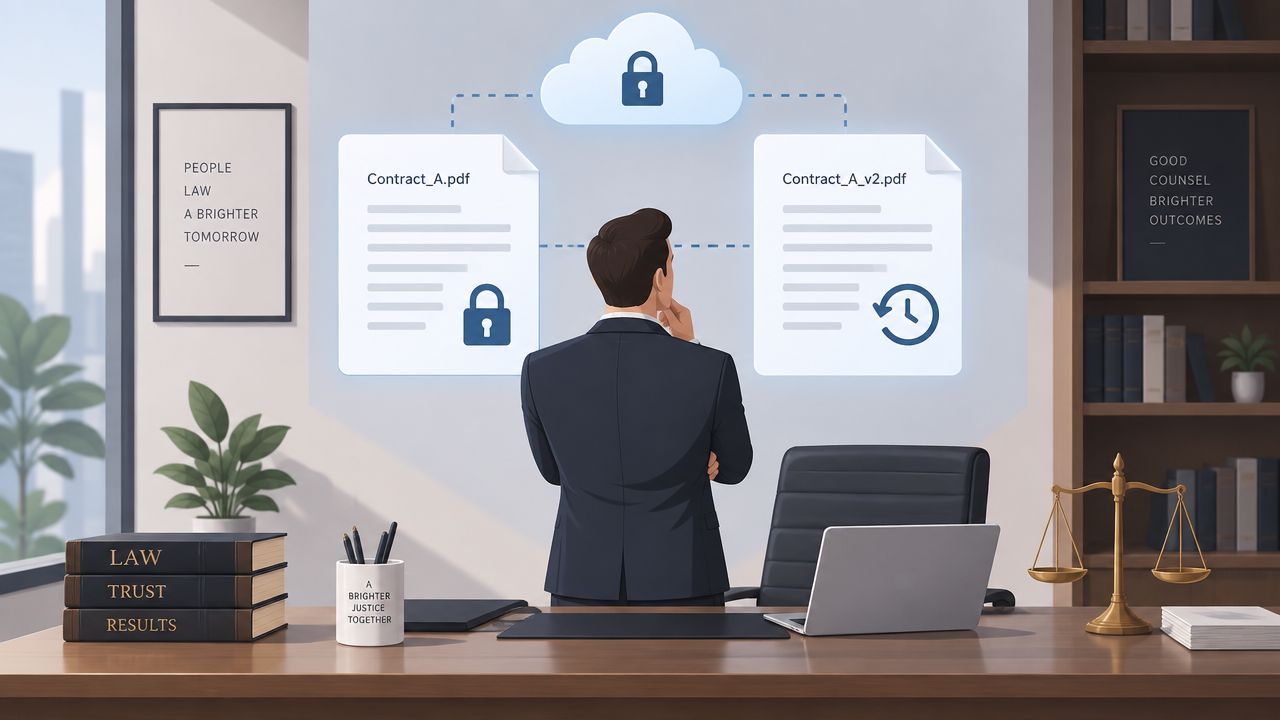
You're probably looking at a pile of active matters, a few too many versions of the same file, and at least one attorney who still wants to save “final_v7” to their desktop. That's the primary reason legal documents management software matters, it becomes the operating system for how a firm stores, retrieves, secures, and shares work product. For firms using remote assistants, bilingual support staff, or distributed teams, the question isn't whether you need a DMS, it's whether your current stack can keep up without creating version chaos, access gaps, or confidentiality risk.
The market reflects that pressure. The legal document management software market is estimated at $2.98 billion in 2025 and projected to reach $3.43 billion in 2026, which implies 14.9% year-over-year growth. Longer-term forecasts put it at $5.5 billion by 2030, with a 12.5% CAGR from 2026 to 2030, while North America remains the largest regional market and Asia-Pacific is the fastest-growing region (The Business Research Company market report).
What follows is a practitioner's view of what works. That means the features that matter, the platforms that fit different firm sizes, the trade-offs for remote collaboration, and the AI readiness questions many vendors still gloss over.
| Decision area | What you're really evaluating | What works in practice | What usually fails |
|---|---|---|---|
| Storage | Where the files live | Matter-centered organization with permissions | Folder sprawl and duplicate saves |
| Search | How fast lawyers find work | OCR, metadata filters, and full-text retrieval | Basic filename search |
| Collaboration | How teams edit and share | Version control and audit logs | Email attachments and local copies |
| Security | Who can see what | Role-based access, MFA, encryption | Shared logins and weak permissions |
| Remote support | Whether distributed staff can work safely | Real-time access with clear roles | Ad hoc file sharing across tools |
A lot of firms adopted cloud tools the hard way. They began with on-premise servers, added remote access for a few users, then watched one matter split into separate versions across email, local drives, and shared folders. Once that happens, the DMS stops being a convenience and becomes the control point that decides whether the team is working from the same record or from conflicting copies.
Cloud adoption is no longer a side path in legal practice. Industry surveys cited by FileCenter's legal firm document management summary point to a clear shift, with more firms either in the cloud or actively moving there, and the ABA's recent technology survey shows cloud-based legal tools are now common. The core issue is operational. Cloud DMS has become the default shape of legal work because remote access now sits inside daily staffing, not around the edges of it.
Cloud systems handle the messy middle of legal workflow, the stretch between drafting and filing. A legal assistant in one office, a paralegal in another time zone, and a partner on the road can all work from the same matter file without waiting on a VPN fix or a server ticket. That matters even more when intake, follow-up, and document collection are handled by remote staff who need a stable workflow, not a pile of attachments.

Practical rule: if your team still asks, “Which version is the right one?”, the software has not earned its place yet.
Legal intake and document management also need to connect cleanly. Intake data, signed authorizations, correspondence, and scanned records should land in the same governed system, not in a shared inbox that someone has to sort later. For firms trying to reduce friction at the front of the case, structured legal intake services only work well when the DMS can receive, classify, and route the resulting documents without manual triage.
Cloud DMS matters for distributed teams and cross-border work because it gives the firm one controlled record instead of a trail of local copies. That control also matters for AI readiness. If documents are scattered, poorly tagged, or stored outside the system, automation has little reliable material to work with. Security trade-offs remain part of the decision too. A cloud platform can tighten access, auditing, and backup discipline, but only if the firm sets permissions carefully and accepts that convenience still depends on process. The strongest cloud workflows reduce the number of decisions staff have to make under pressure. That is what changes adoption, and that is what separates a DMS from a glorified file bucket.
A legal team feels the limits of generic cloud storage the first time a lawyer asks for the signed version, the redline, the exhibit set, and the email thread that explains why the language changed. A legal-grade system keeps those materials tied to the matter, preserves version history, controls access, and supports search across content, not just filenames. Those functions are the baseline for privilege, defensibility, and speed.
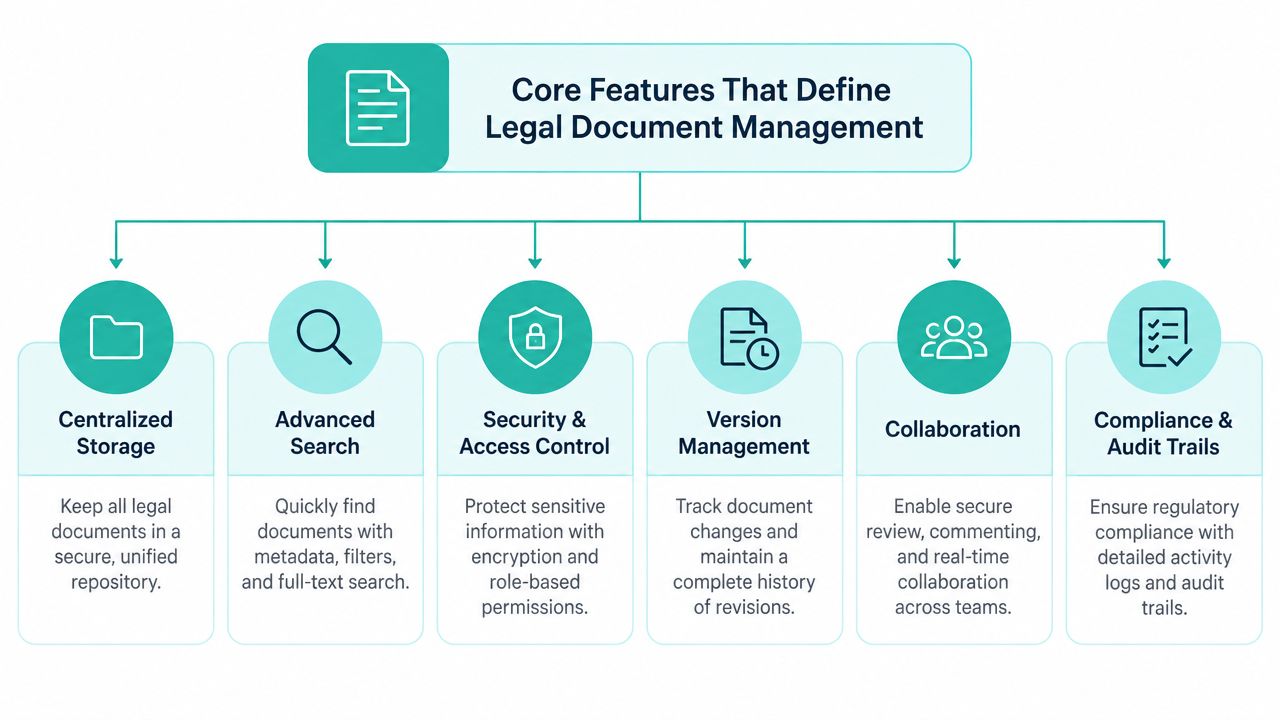
The first question is whether the system organizes work around the client and matter, rather than user-built folders. Matter-centric filing keeps pleadings, correspondence, draft agreements, and exhibits tied to the same record, which lowers the odds that someone saves the right file in the wrong place. That matters even more for distributed teams and remote legal assistants, where file naming discipline alone will not hold up.
Version control is the other half of the job. In legal work, each edit can matter later, so the system has to show who changed what and when. Tools such as iManage are often assessed on this point because version history, audit trails, and Outlook and Office integration shape how lawyers work (OnTheMap's legal DMS comparison).
A legal DMS also needs search that holds up under pressure. One legal software source says 25% of the workday is spent searching for documents, or more than 2 hours per day on average, which is why firms care about full-text search, OCR, metadata filters, and matter-scoped search (MyCase document management feature guidance). If your team handles PDFs, scans, emails, and Word files, OCR is the difference between searchable records and a digital archive.
The practical test is simple. Can someone find a document by provider name, date, subject, or matter tag without guessing the filename? If not, the platform stores files, but it does not manage them.
Security has to sit inside the core design, not as an afterthought. A legal DMS should include audit trails, encryption, MFA, matter-based permissions, and integration with surrounding legal systems. Those controls reduce oversharing, make version problems easier to trace, and help keep ethics walls intact when staff are moving fast.
That baseline also shapes AI readiness and cross-border work. If documents are scattered, poorly tagged, or left outside the system, automation has little reliable material to use, and remote collaboration becomes harder to govern. A cloud platform can improve access, auditing, and backup discipline, but only when permissions are set carefully and the firm accepts that convenience still depends on process. If a vendor keeps talking about “simple storage,” it is usually not built for legal work. If it leads with permissions, search depth, versioning, and integration, it is closer to what a firm needs.
The right platform depends on firm size, document volume, and how much control you need over governance. In practice, the split is between systems that keep the daily file flow orderly and systems that also give IT and operations tighter control over versioning, permissions, and Microsoft integration.
| Platform | Best For | Core Strength | Key Integration |
|---|---|---|---|
| iManage | Larger firms and enterprise environments | Governance, version control, and matter-centric discipline | Microsoft 365, especially Outlook and Word |
| NetDocuments | Mid-size to enterprise firms needing cloud-native DMS | Cloud-native scale with strong search and security posture | Practice systems and Microsoft tools |
| Clio | Firms wanting practice management and document functionality in one place | Broad ecosystem and workflow breadth | 250-plus third-party integrations |
| MyCase | Solo and small-to-mid-size firms | All-in-one practice and document management | Embedded NetDocuments path for deeper DMS needs |
iManage tends to fit firms that care most about control. It is built for matter discipline, version tracking, and the kind of governance larger practices need when several people touch the same file in a day. It also has a strong reputation with legal buyers, which matches its position in larger law-firm environments where Microsoft 365 integration and tighter security controls matter more than quick setup.
NetDocuments is the cloud-native option many teams review when they want serious document governance without maintaining on-premise infrastructure. It suits firms that need centralized control, reliable search, and cloud access for distributed teams, including remote legal assistants working across offices or jurisdictions. For cross-border collaboration, that matters because the system has to keep permissions and auditability intact while people work from different places.
Clio and MyCase solve a different problem. They appeal to firms that want practice management, billing, and documents in one operating environment, which reduces tool sprawl and can simplify onboarding for smaller teams. The trade-off is that document-heavy firms should test retrieval, versioning, and permission depth carefully before assuming the all-in-one path will hold up under heavier matters.
The question is not which platform lists the most features. It is which one keeps the firm organized when multiple staff members work the same matter on the same day.
Use this filter when you compare products:
That is the decision path I would use in a migration review. Feature checklists matter, but the test is whether the system matches how the firm already works or forces people back into old habits.
Remote staffing only works when the document system gives each role a clear lane. If everyone can see everything, you create confidentiality risk. If access is too narrow, remote staff become bottlenecks. The best DMS setups let a virtual receptionist, intake specialist, paralegal, and administrative assistant each work inside a defined matter structure without stepping on each other's files.
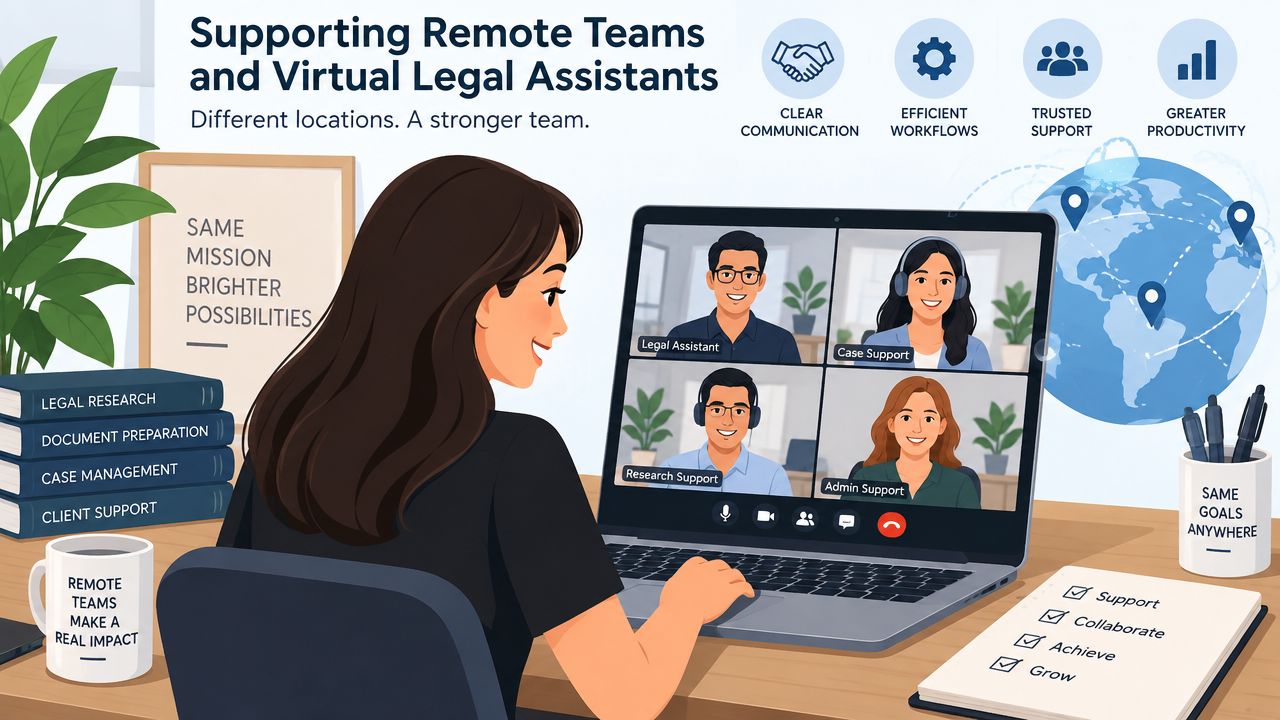
A virtual intake specialist doesn't need the same access as a case manager. A scheduler may need appointment details and contact records, but not sensitive pleadings. A billing support assistant needs invoice-related documents and status updates, not the entire litigation file. That's why role-based access control matters so much in a distributed workflow, it keeps collaboration useful without making the whole matter open to unnecessary exposure.
For firms building out this model, virtual legal assistant support only pays off when the DMS lets the team work from one source of truth. The software should support secure document handling, matter-based permissions, and fast retrieval across time zones. If remote staff have to ask an attorney to email files manually every time they need something, the workflow is already broken.
Distributed teams also need a cleaner answer to the question of who owns which task. The DMS should support shared work without collapsing into shared chaos. That means version history, audit logging, and clear matter structure, so bilingual support staff and U.S.-based teams can hand work off without losing context.
This matters most in client-facing work. A medical practice or law firm that supports clients across languages and time zones can't afford delays caused by missing attachments or unclear naming conventions. The system should let staff retrieve the latest draft, see the chain of edits, and move the file forward without chasing people for confirmation.
A good way to evaluate this is to run one matter through the system end to end. Assign intake, routing, document prep, and follow-up to different roles, then watch where the friction shows up. If the DMS makes collaboration feel routine, it's doing its job. If it turns every handoff into a manual workaround, it isn't.
A firm can buy AI tools and still fail the rollout if its document system is messy. The question is whether AI sits inside a governed DMS that protects confidentiality, version control, and access rules while staff draft, summarize, and search. Industry coverage says generative AI is shifting from testing to deployment, smaller firms are adopting it faster than larger ones, and the most common near-term uses are document summarization, legal research, and first-draft production.
A secure DMS gives AI a controlled place to work. The firm's record should stay in one system of truth, not in exported folders, copied files, or ad hoc uploads to separate tools. Firms that are evaluating AI-ready workflows should focus on matter boundaries, audit logs, and permissions that still hold when AI functions are turned on.
Hybrid teams feel the weakness of loose controls fastest. The same industry coverage reported that cloud DMS use is higher in smaller firms than in larger ones, which suggests many firms are still running mixed workflows. That is the environment where unmanaged AI creates extra cleanup, inconsistent drafts, and avoidable confidentiality risk.
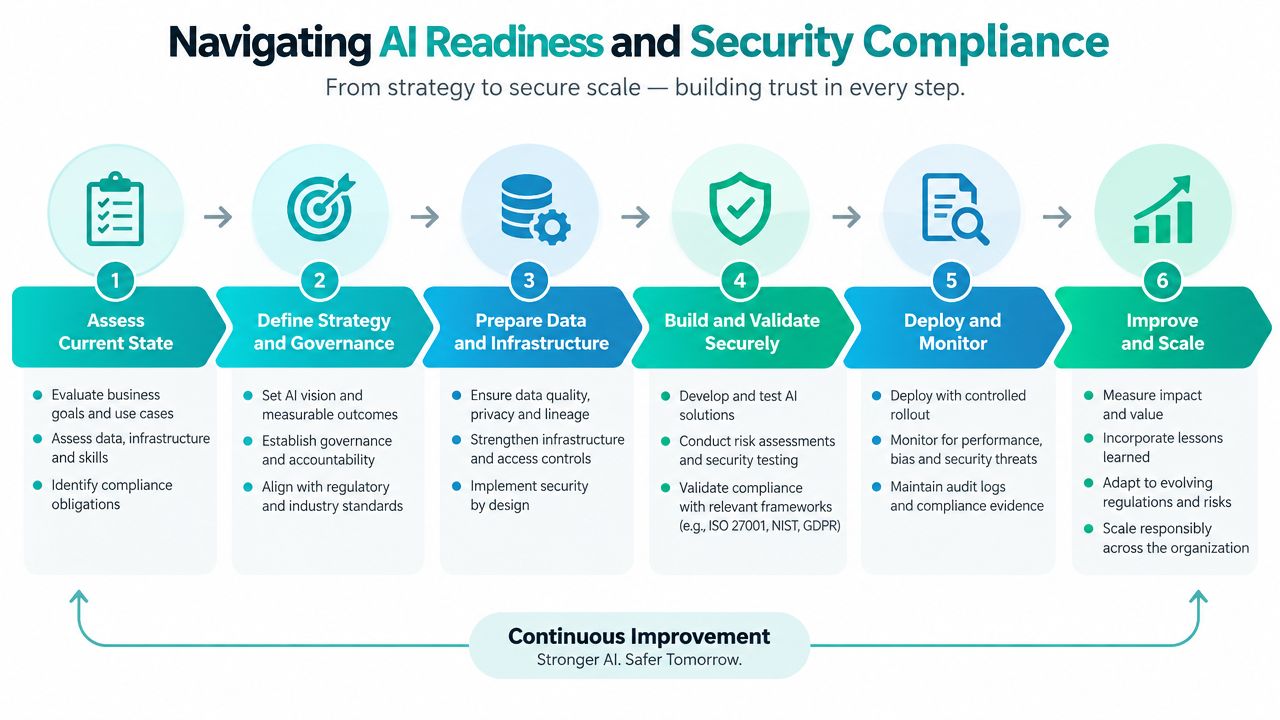
AI readiness is also a governance question. The software has to preserve confidentiality and leave an audit trail a supervising attorney can trust. Standalone tools often fall short because they sit outside the firm's main document controls, which makes it harder to prove who touched what and whether the latest version stayed authoritative.
Use this screening list when a vendor says its AI is “secure”:
Shadow IT is the risk firms underestimate. If attorneys start pasting sensitive content into consumer tools because the official workflow is awkward, both the DMS and the AI plan are failing. The better setup is integrated, governed, and boring in the best sense. That gives remote legal assistants, attorneys, and cross-border teams one controlled place to work from, which matters as soon as documents start moving across offices, time zones, and review layers.
No single DMS fits every firm, and firms waste money when they buy for prestige instead of workflow. A solo practice that wants clean matter organization has different needs from a midsize litigation shop, and both are different again from a larger environment with strict governance and heavier Microsoft 365 dependence. The right choice should match the level of complexity you run, not the complexity you hope to run someday.
If you're small, prioritize ease of adoption, search, and basic matter organization. You usually don't need a sprawling enterprise architecture on day one. You do need a system that staff will use, which means fast filing, reasonable permissions, and enough integration to avoid duplicate work.
That's also where a legal assistant hiring path becomes relevant. A smaller firm often gets more out of a lean DMS plus strong remote administrative support than it does from paying for enterprise features it won't activate.
Midsize firms should focus on scale pain. That usually means version control, search performance, and the ability to support multiple teams without recreating files in parallel systems. If the firm is growing through more intake, more remote support, or more matter volume, the DMS needs to become the backbone of the workflow instead of just a place to park documents.
For these firms, integration depth matters more than brand reputation. If the system doesn't fit Outlook, Microsoft 365, and your practice management stack, adoption will be uneven.
Larger firms should start with security, permissions, and auditability. That's where systems like iManage and NetDocuments tend to sit in the evaluation pool, because enterprise environments care about tight controls, reliable versioning, and the ability to govern access across teams and offices. If the firm has ethics walls, heavy litigation, or strict client-driven security expectations, those controls should outweigh a lighter interface.
A practical decision rule is simple. Pick the least complex platform that still handles your hardest file set cleanly. Anything beyond that should earn its cost through actual workflow reduction, not feature vanity.
Legal documents management software is no longer just a storage decision. It's the structure that supports remote collaboration, version discipline, search speed, and, increasingly, AI-ready workflows that don't break confidentiality. The firms that get the most value are the ones that treat the DMS as operational infrastructure, not as a software purchase.
If you're evaluating one now, start with the basics, matter structure, permissions, search, and integration. Then test how the system behaves when remote staff, bilingual support, and AI-assisted work all touch the same file set. That's where the fit shows up.
If your firm is building a better document workflow and wants remote legal support that fits into it cleanly, Virtual Legal Assistants can help you staff with pre-vetted bilingual professionals who understand legal operations. Visit Virtual Legal Assistants to see how our team can support your DMS rollout, intake process, and day-to-day file handling.