

 15 minutes read
Legal virtual assistants are remote professionals who handle administrative, intake, and case-management workflows for U.S. law firms, typically costing between $12/hour and $1,600 to $3,400 per month, while delivering measurable time and cost savings. If your team is losing leads to slow intake, missing call coverage during court, or burying billing and scheduling in attorney time, a legal virtual assistant is usually a workflow fix, not just a cost cut.
Most firms feel the pain in the same places. A call comes in while everyone is in motion, a new matter waits in the inbox, billing gets pushed until the end of the week, and someone on the team spends an hour chasing a detail that should've been captured once and entered correctly the first time. That's where legal virtual assistants earn their keep, by taking over the high-friction work that breaks momentum and creates avoidable handoffs.
The right remote support can answer phones, qualify leads, schedule consultations, update the case system, prepare documents, track deadlines, and keep billing moving without turning your office into a call center. The key is matching the role to the bottleneck, then building clear supervision, secure access, and plain-English processes around that role. If you get those pieces right, you gain operational advantage. If you don't, you just add another person to manage.
A solo lawyer with a full calendar usually doesn't need more generic admin help. They need someone who can answer the phone while they're in court, catch intake requests before they go cold, move information into the case system without errors, and keep the billing side from falling behind. That's the practical definition of legal virtual assistants. They're remote professionals who sit inside your existing workflow and handle the repetitive, time-sensitive tasks that keep a practice moving.

A good remote assistant doesn't work in a vacuum. They use the same phone system, calendar, case platform, and document tools your firm already relies on, then keep the front end of the practice from breaking down when attorneys are unavailable. In a plaintiff or immigration practice, that often means handling first contact, follow-up, and scheduling. In a litigation shop, it may mean keeping matter notes, deadlines, and billing entries current so the attorneys don't spend evenings cleaning up administrative work.
The most useful assistants are the ones who absorb the work everyone assumes will “just get done.” They answer phones, return voicemails, send consultation reminders, enter notes into the case-management system, and keep documents moving to the right person. They also help the firm look organized to clients, which matters more than most owners admit.

Practical rule: if a task repeats, requires a simple decision tree, and doesn't need a lawyer's judgment, it probably belongs with a legal virtual assistant.
That doesn't mean they do everything. They shouldn't make legal decisions, give advice, or act independently on matters that require attorney supervision. Their value is in execution, consistency, and responsiveness.
A firm gets into trouble when it treats a remote assistant like a substitute attorney or a catch-all for messy internal processes. If your intake questions are vague, your billing rules are inconsistent, or your case notes live in three different places, even a strong assistant will struggle. Remote support works best when the workflow is already defined.
A good example is intake. The assistant can collect contact information, route the lead, schedule the consultation, and flag missing details. They cannot rescue a practice that has no intake criteria, no response rules, and no clear owner for each step. The assistant amplifies the process you already have. If the process is weak, they'll expose it fast.
Not every firm needs the same kind of help. Some need someone who lives on the phones. Others need document support, calendar control, or a person who keeps matters from stalling between attorney review and client follow-up. The mistake is hiring a vague “admin” and hoping they'll cover every bottleneck equally well. Separate the roles first, then decide whether one person can cover more than one of them.
An intake specialist is the front door of the firm. Their job is to respond quickly, gather the right facts, qualify the matter, and get the consultation on the calendar. In a plaintiff-heavy firm, that often means following up on missed calls, texting or emailing prospects, and making sure no lead sits untouched in the inbox.
A legal virtual receptionist is slightly different. That role focuses on live call answering, message taking, routing, and calendar support in the firm's voice. If your team needs consistent human coverage during business hours, or you lose prospects because calls roll to voicemail too often, this role is usually the first fix.
If the first conversation goes badly, the rest of the process rarely recovers.
A legal assistant handles document preparation, formatting, filing coordination, and routine matter support. They can organize exhibits, draft routine correspondence under attorney direction, update templates, and keep file structures clean. They're especially useful when the firm spends too much time cleaning up documents that should have been handled once and entered correctly.
A case manager is different again. This role tracks milestones, follows up with clients, keeps the matter moving, and makes sure the attorney knows what's blocked. In practices with lots of open files, that can be the difference between a healthy pipeline and a pile of matters that look active but aren't advancing.
An administrative assistant handles calendar management, inbox triage, billing support, and general coordination. This is the role that keeps the practice from slipping into chaos when everyone else is focused on legal work. They're often the best choice when the owner says, “I don't need one specialty, I need the office to stop leaking time.”
Here's a simple way to map roles to pain points:
The right hire depends on which failure costs you the most in a normal week.
An in-house hire looks straightforward until you count the actual cost. Wages are only the start. Recruiting takes time, onboarding takes attention, equipment has to be bought, payroll has to be managed, and supervision never disappears. That burden is manageable for larger firms. Small practices feel it fast, because the expense stays fixed even when the workload drops.
Remote staffing changes the shape of the commitment. You give up some office control, and you need clear scope, tight supervision, and secure access. In return, you get faster hiring, more flexibility, and support that can match the actual workload instead of sitting idle as another permanent seat in the office.
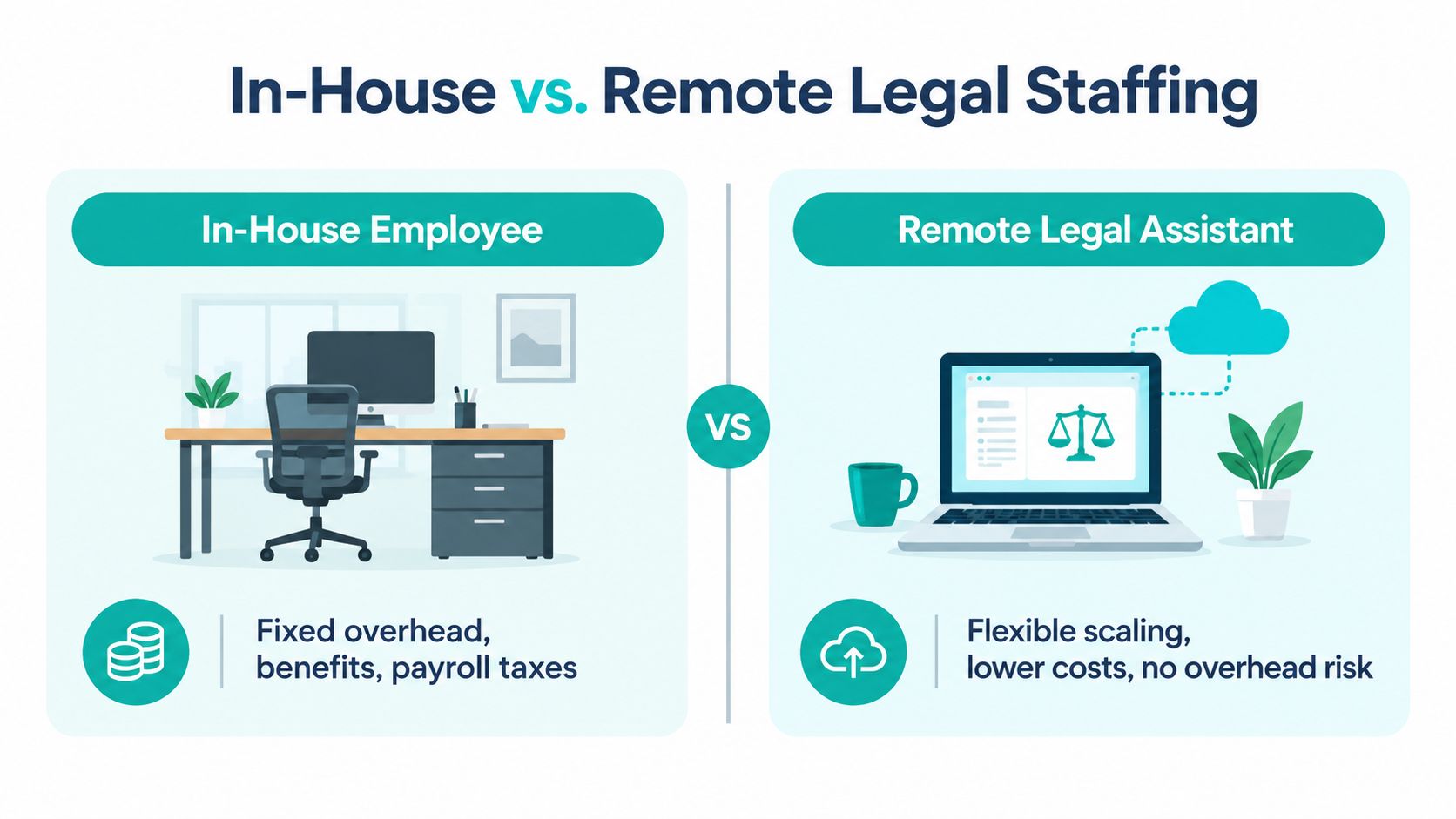
| Factor | In-house employee | Remote legal assistant |
|---|---|---|
| Overhead | Office space, equipment, onboarding, internal admin | Lower fixed overhead |
| Flexibility | Less flexible once hired | Easier to scale up or down |
| Speed to start | Often slower | Usually faster |
| Supervision | Easier to observe in person | Needs tighter process and communication |
| Risk | Higher commitment if the fit is wrong | Easier to adjust role fit |
That table is the key decision point. If your work volume is steady and you need someone physically present, in-house can still be the right call. If demand shifts, your team is stretched, or you need support fast, remote staffing usually gives you better operational control.
The strongest case for remote support is control, not just lower cost. You can assign a narrow role, test the fit, and expand only after the workflow is stable. That matters in firms where attorneys are still doing too much intake, scheduling, and billing cleanup because no support layer has been built around those tasks.
The right remote assistant takes friction out of the work that slows lawyers down. Missed calls get handled faster. Calendars stay cleaner. Billing follows a more predictable process. Pre-vetted providers can also shorten the hiring cycle by giving you a focused shortlist instead of a pile of generalist applicants who do not understand legal work. Some providers focus on pre-vetted law-firm support roles with structured hiring and workflow matching, which is a better comparison than hiring from scratch and hoping the fit works out.
Pricing is easier to evaluate when you separate the labor model from the support model. Hourly billing works well when the workload is uneven or the role is narrow. Monthly retainers make more sense when you need consistent coverage, predictable availability, and fewer surprises in the invoice. The right choice depends on whether you're buying task completion or ongoing operational capacity.
The verified market data points in the same direction. The North American legal process outsourcing market was estimated at USD 10.19 billion in 2025 and is projected to reach USD 64.61 billion by 2034, implying a 22.78% compound annual growth rate over that period, which shows how quickly outsourced legal support has scaled. The same source places typical virtual legal assistant pricing at USD 1,600 to USD 3,400 per month, with reported monthly savings of about USD 2,400 to USD 2,600 versus in-house staffing. That's why many firms stop looking at this as temporary help and start treating it as part of their operating model. See the pricing overview for remote legal support for how firms usually structure these engagements.
The broader ALSP market also matters here. Thomson Reuters reported that the alternative legal services provider industry reached an estimated market size of USD 28.5 billion in 2023 and grew at an 18% compound annual rate from 2021 to 2023. That doesn't tell you which vendor to pick, but it does confirm that legal support work has become an organized buying category, not a side hustle market.
You should expect pricing to move with role complexity, language capability, software demands, and the amount of supervision required. A receptionist who answers calls and books consultations will usually cost less than someone who also handles billing, document follow-up, and CRM updates. If the assistant needs to learn your systems from scratch, you're also paying for ramp-up time, even if that cost isn't shown as a line item.
Ask pointed questions before you sign anything:
A cheap assistant who slows the office down is expensive. A slightly more capable one who saves attorney time is usually the better buy.
A strong hire starts before the first interview. If you can't explain the exact workflow you want help with, you're not ready to hire yet. Write down the tasks, the tools, the handoffs, the hours, and the decision points. The more specific the role, the better the screening will be.
Start with a job description that names the actual work. Say whether you need intake response, reception coverage, case updates, billing support, or a mix. Then test for the software and communication habits that matter in your practice, not just generic professionalism. For firms that want a faster path, the legal assistant hiring process should still be checked against your own workflow requirements before you move forward.
Hiring rule: don't hire for personality first and workflow second. Friendly doesn't help if the assistant can't keep the matter moving.
The first week should be boring in the best way. Give the assistant a written SOP, the exact escalation path, and a list of what they can handle without asking permission. If you don't document this, every question becomes a live interruption.
Set up the basics early. That means firm-specific email access, calendar permissions, phone routing rules, approved templates, and a clear note on what must never be sent without review. If you're using a platform that offers Contractor of Record, international payroll, and onboarding support, make sure your internal manager still owns the day-to-day supervision. The provider can help with logistics. The firm still owns performance.
Don't get distracted by impressive resumes if the assistant can't use your stack. Case systems and billing tools matter because that's where the work lives. Whether your practice runs on Clio, MyCase, Filevine, CASEpeer, SmartAdvocate, Smokeball, DocketWise, or another platform, the assistant should be able to work in that environment without creating duplicate entries or data drift.
A good onboarding goal is simple. By the end of the first few days, the assistant should know who owns each task, where each file lives, how to raise a problem, and when to stop and escalate. If that isn't true, you're not onboarded yet.
Remote legal staffing is useful, but it isn't ethically neutral. The supervising attorney still owns confidentiality, communication, technology competence, and supervision. California Formal Ethics Opinion No. 2023-208 says lawyers working remotely must use reasonable measures, policies, and practices to keep complying with those duties, and that principle carries over directly to remote assistants because the attorney remains responsible for how work is handled.
The ABA's Formal Opinion 498 makes the same point from another angle. Lawyers must make reasonable efforts to prevent inadvertent or unauthorized disclosure of client information and take reasonable precautions when transmitting it. In practical terms, that means secure file-sharing, password protection, and controlled access. Informal forwarding, open shared drives, and loose device habits are avoidable risks, not acceptable shortcuts.
The supervision obligation also applies to nonlawyer staff. A Dentons ethics summary of Model Rules 5.1 and 5.3 explains that supervising lawyers must ensure lawyers and nonlawyer staff act consistently with duties of competence and confidentiality, and Pennsylvania remote-work guidance adds concrete mechanics for minimizing inadvertent disclosure across phone calls, texts, email, and video conferencing. That means the remote workspace matters, not just the person working in it.
The safest firms make the rules explicit. They don't assume a smart assistant will intuit their compliance expectations. They train, document, and verify.
You should also review your own privacy page and internal policies before you expand remote access. If your client communication rules are unclear, fix them first, then grant permissions. A firm's privacy policy should align with the actual way staff handle files, calls, and messages.
Remote staffing is a bad fit if your firm won't invest in supervision. It's also a bad fit if attorneys expect assistants to manage ambiguity without guidance. But if the work is repetitive, the rules are clear, and the security setup is disciplined, the risk is manageable. The problem usually isn't the remote assistant. It's the firm's unwillingness to write the process down.
Legal virtual assistants are most useful when they take over the work that clogs intake, scheduling, billing, and case coordination. That is operational relief, not attorney replacement. The right remote assistant protects lawyer time, speeds up response, and gives the firm a steadier workflow.
Pick the role with care, price it clearly, match it to your software, and supervise it like any other client-facing function. Start with one bottleneck, document the process, and run a narrow pilot before you expand. For a practical next step, visit Virtual Legal Assistants (https://legalvirtual.com) and review the roles against your current bottlenecks.