 17 minutes read
Monday morning usually reveals the weak spots in a firm's document habits. An intake email has the signed engagement letter, a paralegal saved the draft complaint to a desktop, someone else filed discovery responses from Outlook into a personal folder, and the attorney is asking which PDF is final. Nothing is technically “lost,” but nobody trusts what they're looking at.
That's why law firm document management matters. It isn't just cloud storage or a shared drive. It's the governed system your firm uses to create, name, store, find, share, secure, retain, and eventually archive matter documents. When it works, people know where documents belong, who can access them, which version is current, and what happens when the matter closes.
By 2024, cloud-based legal tools were already mainstream. Independent reporting on the American Bar Association's 2024 Legal Technology Survey found that about 73% of law firms use cloud-based legal tools, up from 60% in 2021, and firms with 50 to 99 lawyers were above 94%. The same reporting noted that roughly 85% of litigators file electronically. That shift matters because document handling is no longer a side process. For many firms, it is the operating backbone for filing, collaboration, and retrieval across offices and remote work (ABA survey reporting on law firm document management statistics).
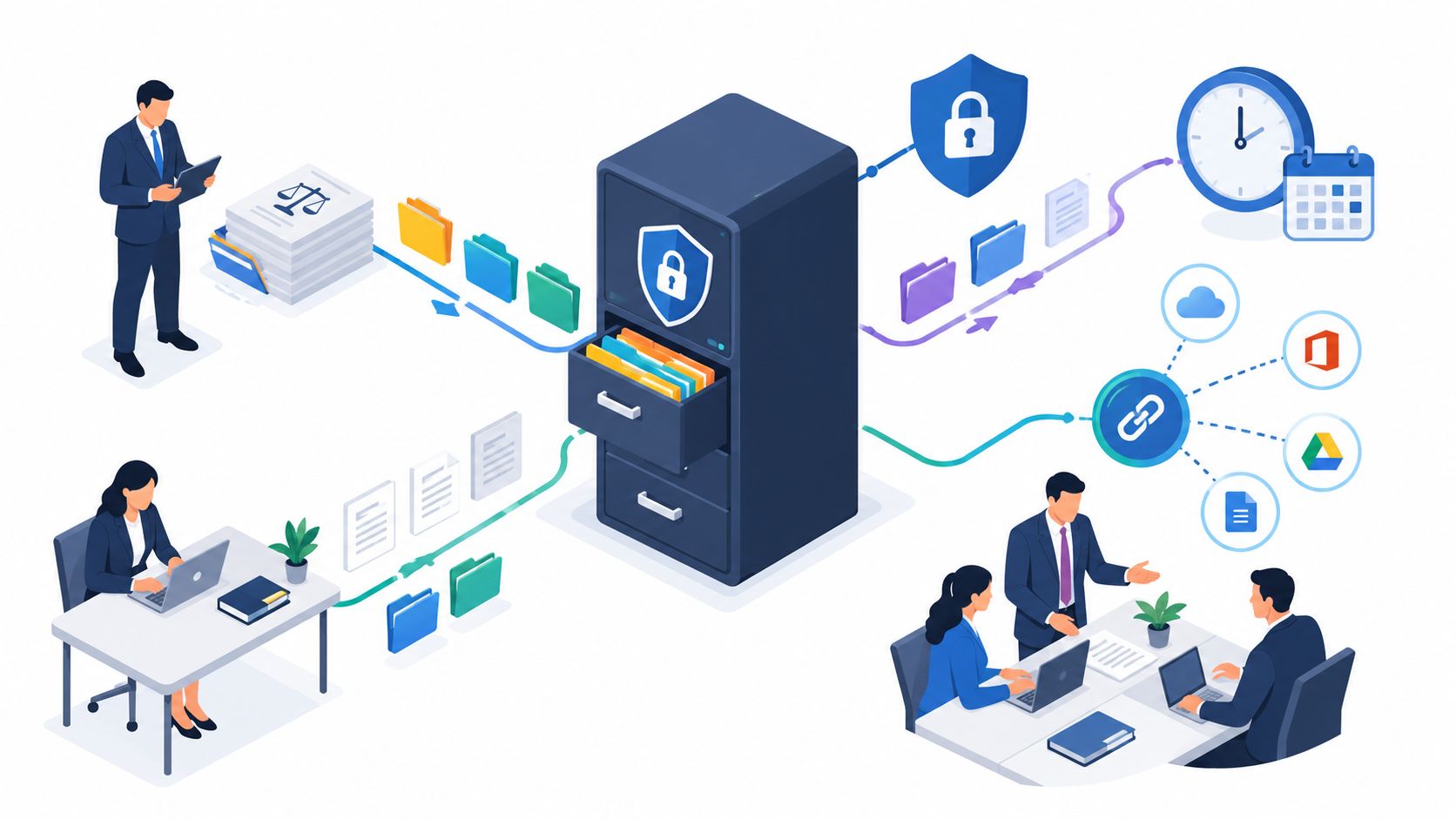
A mature system rests on four practical pillars. Workflows tell people how documents move. Access controls protect confidentiality. Retention rules govern what stays and what gets destroyed. Integrations connect the document system to the rest of the firm's work. If you get those four right, retrieval becomes faster, handoffs get cleaner, and remote staff can support the firm without creating more file chaos.
A lot of firms think they have document management because they have folders in SharePoint, Dropbox, OneDrive, or a server. That's storage. It's useful, but it isn't enough by itself. A document system starts earning its keep when the whole team follows the same rules for intake, drafting, filing, review, and closure.
The practical difference is simple. In an ad hoc setup, documents live wherever the last person touched them. In a managed setup, every matter has a home, every document has a profile, and every handoff leaves a trail. That's what prevents the common problems firms complain about most: duplicate drafts, mystery attachments, missing exhibits, and staff rebuilding files from scratch because they can't find the right version.
Independent analysis tied this directly to labor loss. A reported IDC-based study found that lawyers and paralegals spend 11.2 hours per week dealing with document creation and management problems, including 2.3 hours searching for documents and 2.0 hours recreating lost or unfindable versions. The same analysis estimated the waste at $9,071 per lawyer per year, or 9.8% of total productivity, and more than $900,000 annually for a 100-lawyer firm (IDC-based legal document management analysis).

Practical rule: If your team still asks “Who has the latest one?” your issue isn't storage capacity. It's operating discipline.
For small and midsize firms, that discipline matters even more when work is split across attorneys, paralegals, intake staff, reception, and remote support. The software helps, but the system is the combination of naming rules, permissions, review steps, and closeout procedures your people follow every day.
The easiest way to understand a DMS is to stop thinking in folders first and start thinking in matters. The matter is the container. Everything else connects to it.
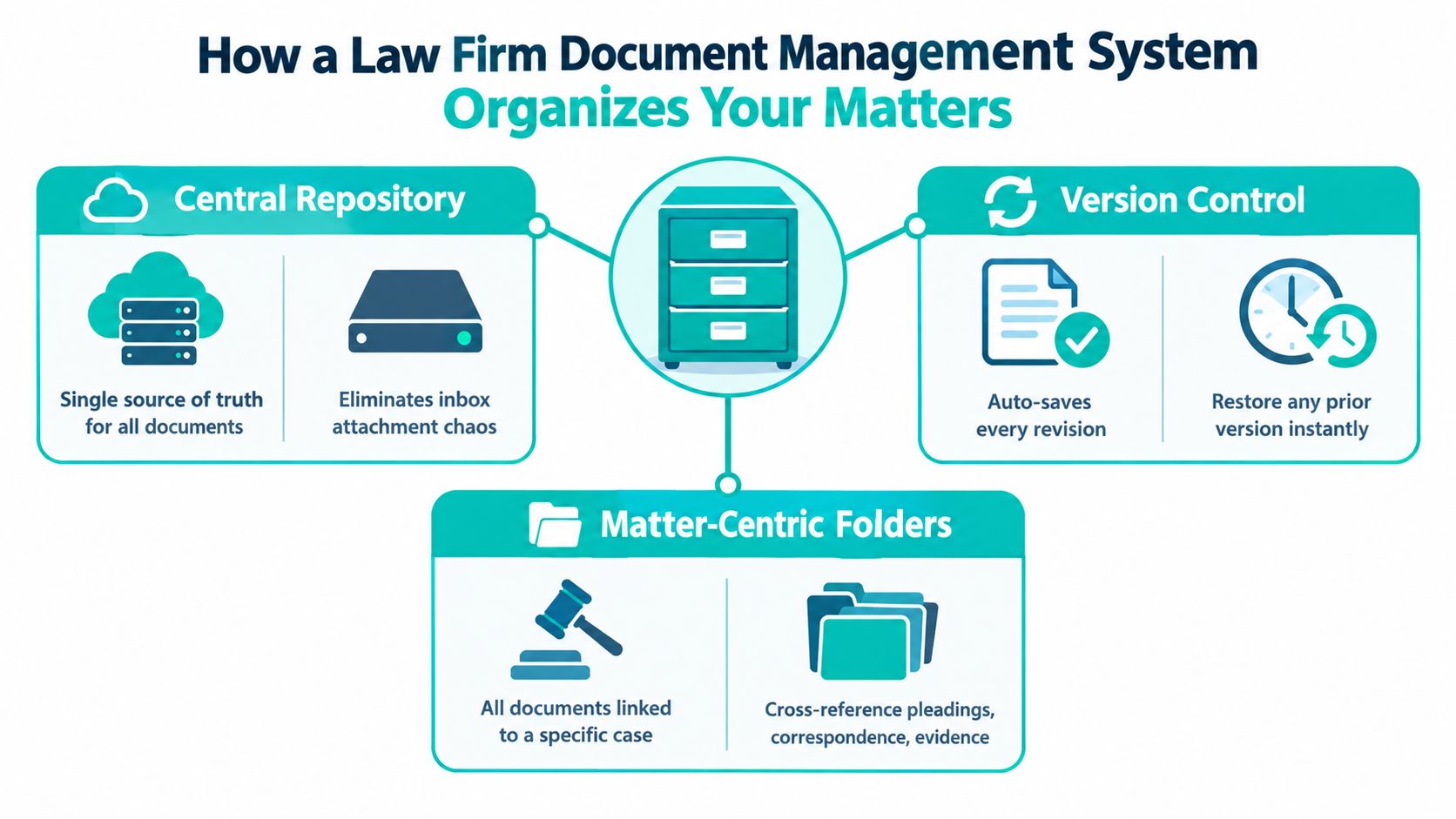
In a sound setup, a personal injury case, immigration petition, or civil litigation file gets a matter number and a standard workspace. That workspace holds pleadings, correspondence, discovery, signed documents, medical records, invoices, and internal notes according to firm rules. Staff don't decide from scratch where each file should go.
That consistency matters because legal files aren't just “documents.” They're related records that need context. A draft motion without the final filed version, service email, and supporting exhibit list is only part of the picture. Matter-centric organization keeps those pieces together.
A generic file sync tool can store files, but a legal DMS is supposed to support legal work patterns. That usually includes:
If you're delegating this work, the staff side matters too. A trained legal assistant for document coordination and matter support can help keep filing accurate, but only if the firm has a clear structure to follow.
Firms often get stuck on naming conventions because they make them too complicated. You don't need a cryptic codebook. You need a convention that answers three questions quickly: what is this, which matter is it for, and what stage is it in?
A plain example works well:
So instead of “draftfinalREAL2.pdf,” you get something like “2025-0142 Motion to Compel Draft Review.pdf.” If your DMS tracks versions properly, staff won't have to keep adding “final final” to filenames to preserve history.
A good version trail lowers stress during deadlines because the team can recover an earlier draft without rebuilding the document.
A single source of truth is the goal. That means the current, authoritative document lives in one recognized place. Attorneys may still email drafts, clients may still send attachments, and courts may still return notices by email. But those items shouldn't remain there as the working record.
When firms skip this step, they create parallel files. One copy sits in the DMS, one in Outlook, one on a desktop, and one in a downloads folder. Then every deadline becomes a scavenger hunt.
The best document systems are boring in the right way. People know what happens next, who owns the next step, and where the file goes. That's what keeps matters moving.
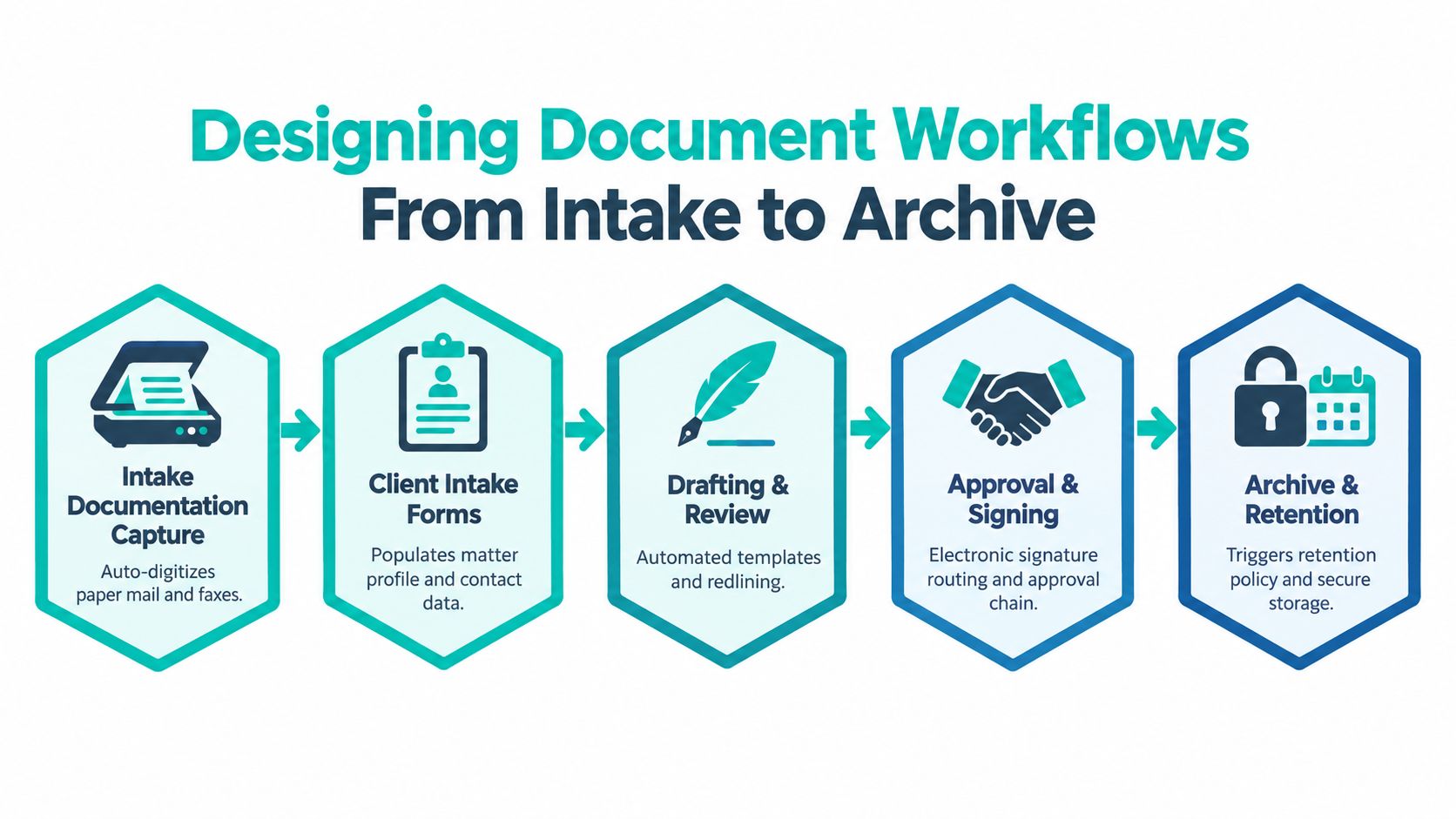
Document workflow starts before the first substantive legal draft. A lead calls. The firm gathers intake details. Conflict checks happen. The engagement letter is sent, signed, and saved. If that opening packet lands in email, on paper, and in someone's notes app, the matter starts with confusion.
A tighter process usually looks like this:
For firms handling high intake volume, legal intake support works better when procedures are written down first. Intake staff need to know what to capture, what to escalate, and what belongs in the matter file versus the CRM or call notes.
Once a matter is active, most document friction appears in drafting and review. A complaint is drafted by one person, revised by another, approved by an attorney, signed by the client, and filed by support staff. If those handoffs happen through inboxes alone, nobody has a full record.
Here's a cleaner operating model by stage:
A litigation file may need pleading, exhibit, and deadline routing. An immigration matter may center on forms, supporting evidence, translations, and signature packets. A personal injury file may rely heavily on records requests, demand packages, and insurer correspondence. The workflow changes by practice area, but the handoff rule stays the same. The next person should never have to guess which file is authoritative.
At closeout, many firms lose discipline. They stop treating the matter as active, but they haven't yet treated it as archived. That in-between period is where records disappear.
Use a short closeout checklist:
Closeout is not an admin afterthought. It is the point where active work becomes a governed record.
Security controls only work when they fit how the firm operates. If permissions are too loose, confidential material spreads farther than it should. If they're too tight, staff start bypassing the system and sending documents through unsafe channels.
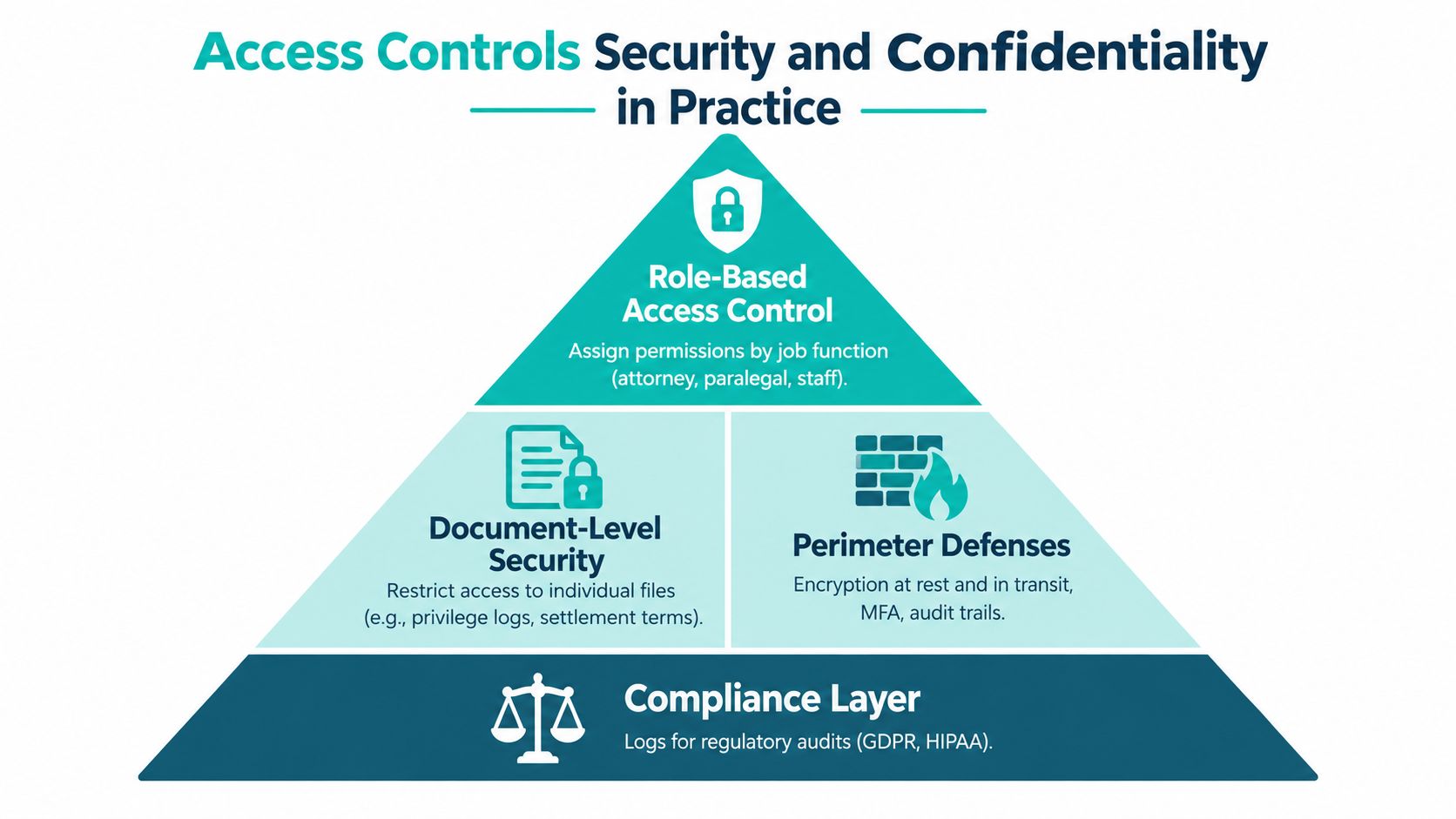
The simplest useful rule is least privilege. People should have access to the documents they need for their role, and not to files outside that scope.
That means your permissions map should follow actual job functions. Attorneys may need broad access within assigned matters. Paralegals may need drafting and filing access. Intake staff may need limited access to pre-engagement records. Reception and administrative staff may need scheduling and communication records without visibility into every privileged document. For sensitive files such as settlement terms, internal strategy memos, or privilege logs, document-level restrictions often make more sense than matter-wide access.
A DMS should support that structure with granular access controls, audit trails, and version control, not just broad folder sharing.
Independent legal-security guidance emphasizes that a law-firm DMS should enforce encryption at rest and in transit, with AES-256 for stored files, TLS 1.2+ for transmission, and separate key management. The same guidance stresses that storage encryption alone is not enough if files are exposed during sharing or email transfer, and that audit logs and document-level permissions are central to privilege protection and incident reconstruction (legal cloud security guidance discussing encryption and access controls).
That point gets missed often. A file can sit safely encrypted in the repository and still become exposed when someone downloads it to an unmanaged device or forwards it as an attachment to the wrong person. That's why secure sharing matters as much as secure storage.
Operational note: If a document is sensitive enough to restrict internally, it's sensitive enough to control carefully when leaving the firm.
For client and co-counsel sharing, firms should prefer secure portals or managed sharing features tied to the matter record over consumer messaging apps and loose email habits. Courts create their own transmission rules, of course, but the internal record should still show what was sent, by whom, and when.
Most access failures aren't dramatic hacks. They happen when a role changes and nobody updates permissions.
Use a simple control routine:
If remote staff support your firm, this step matters even more. They can work very effectively inside a DMS, but only if access is deliberate and monitored.
Retention gets treated like storage cleanup, but it's really a risk-control function. A firm needs to know what it keeps, why it keeps it, and what event starts the retention clock.
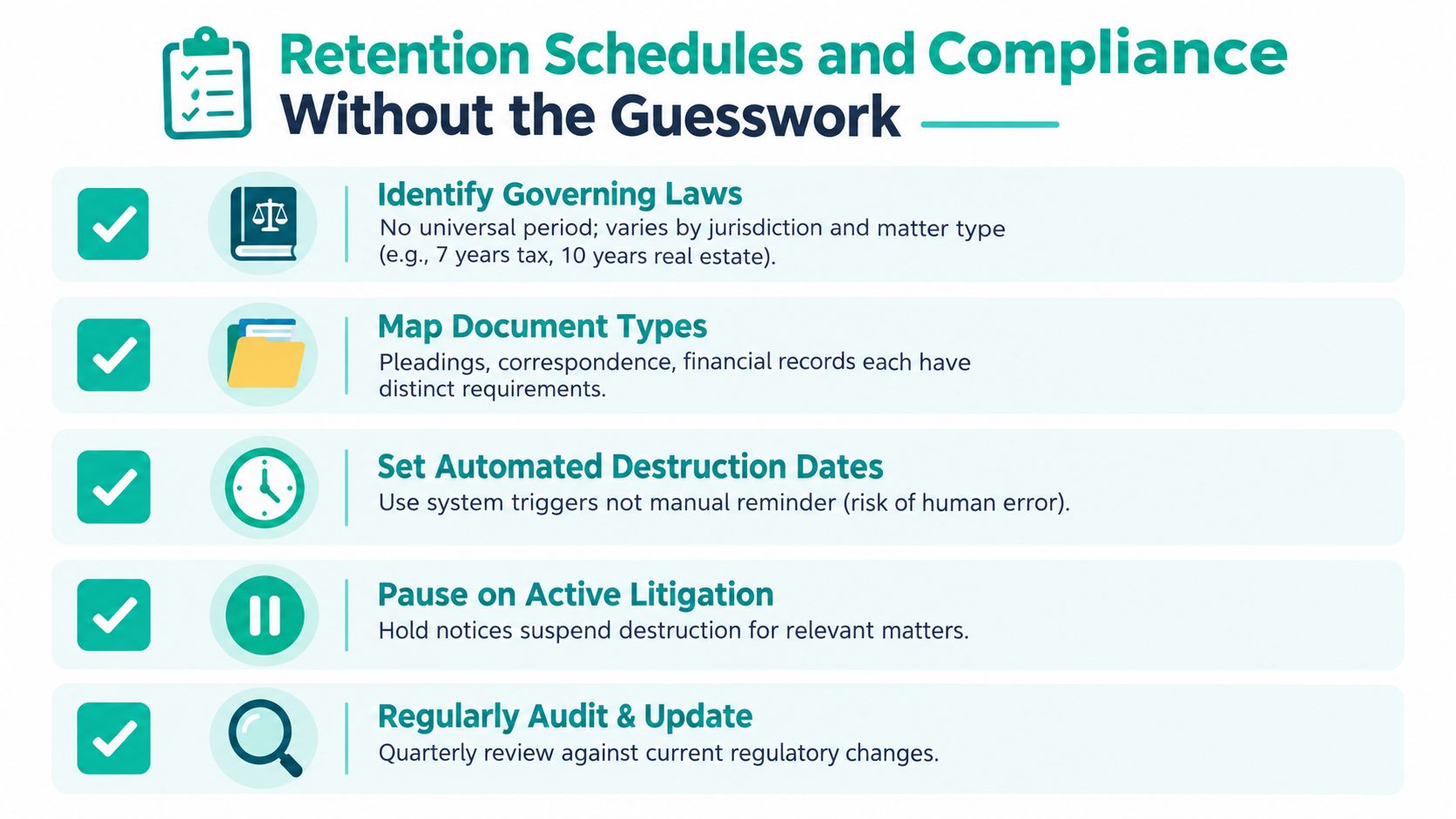
Many firms hope for a simple answer and don't get one. There is no single universal retention period for law firm files. Bar guidance shows that some records must be retained for at least seven years in certain jurisdictions, while broader guidance notes that firms usually need matter-type and jurisdiction-specific schedules rather than one global rule (client file retention and management guidance from the Washington State Bar Association/guide-to-best-practices-for-client-file-retention-and-management.pdf?sfvrsn=306a3df1_10)).
That means a DMS should support configurable archive and destruction rules triggered at matter close. It should not force one blanket retention period on every file.
The right question isn't “How long do we keep files?” The better question is “Which categories do we need, and who decides them?”
A practical comparison looks like this:
| Matter type | Retention planning issue | DMS requirement |
|---|---|---|
| Litigation | Closed case files may still be affected by post-judgment issues or holds | Matter-close trigger with hold capability |
| Immigration | Petitions often include identity records and supporting evidence that require careful categorization | Configurable retention by document class and matter type |
| Contingency matters | Financial records, settlement papers, and closing documents may need distinct handling | Separate retention rules for financial and substantive file components |
Original client documents deserve special handling. So do trust-related records and any file under a legal hold or dispute. A strong policy distinguishes between the general matter file and categories that need separate treatment.
Retention policy should live in two places at once. In written firm policy, and in the system settings that enforce it.
The main failure point isn't usually lack of space. It's lack of ownership. Someone needs authority to define retention categories, approve exceptions, and confirm destruction holds.
For smaller firms, that may be the managing attorney with operations support. In a midsize firm, it may sit with operations, records, or practice group leadership. What matters is that staff don't improvise these decisions matter by matter without a policy behind them.
A DMS becomes much more valuable when it stops operating as a separate island. Most firms already use a practice management platform for matters, deadlines, contacts, notes, billing, or communications. If the document system doesn't connect well to that stack, staff end up entering the same information twice and checking multiple systems to confirm basic facts.
For firms using platforms such as Clio, MyCase, Filevine, CASEpeer, SmartAdvocate, or Smokeball, the important question isn't whether an integration exists. It's whether the integration supports the workflow your team follows.
Look for patterns like these:
Without that connection, your DMS becomes a library. With it, the DMS becomes part of live operations.
This is the part many firms skip. They buy the system, migrate the files, and assume order will follow. It won't, unless someone owns the routine work of keeping the system clean.
Remote legal assistants, intake specialists, case managers, and administrative staff can handle a lot of document-heavy tasks well: email filing, matter opening support, naming and profiling, records follow-up, signature packet routing, and closeout prep. But delegation only works when the handoffs are written down.
A good operating checklist usually answers:
For firms that need structured remote support around those tasks, legal virtual assistant staffing for law firms is one option to evaluate alongside direct hiring and local staffing.
| Workflow Area | DMS Integration Pattern | Remote Role Support |
|---|---|---|
| New matter opening | Matter record in practice management system creates or links to DMS workspace | Intake specialist or legal assistant enters intake details, uploads opening documents, confirms naming standards |
| Email and correspondence | Outlook or email tool files messages and attachments to the related matter | Administrative assistant or case manager reviews filed emails, corrects misfiles, flags items needing attorney review |
| Drafting and templates | Document templates pull matter data from practice management fields | Legal assistant prepares first drafts and routes them for attorney approval |
| Records and evidence collection | Incoming files are saved to matter-specific categories with searchable metadata | Case manager tracks outstanding requests and keeps document categories current |
| Billing support and admin records | Practice management and document records stay linked for invoice support and back-up | Administrative assistant organizes supporting records and closes loops on missing documentation |
| Matter closeout | Closed matter status triggers archive review and retention category assignment | Legal assistant completes closeout checklist and prepares the file for archive review |
AI now sits close to document operations, but most firms are still in a partial-adoption stage. Recent industry reporting says 41% of law firms and 47% of corporate legal departments report GenAI use in 2026, while 77% of AI users use it for document review and 74% for summarization. The same reporting describes implementation as active but incomplete rather than broad firm-wide deployment (legal AI adoption survey reporting for 2026).
That matches what operations teams see in practice. AI can help summarize correspondence, extract key terms, and assist with review queues. It is less reliable as a substitute for human judgment about where a document belongs, who should see it, whether a filing version is final, or when a retention exception applies. Categorization and routing still need human oversight, especially in small and midsize firms where one mistake can spread quickly across the file.
Effective law firm document management isn't a folder cleanup project. It's an operating system for the firm's matters. The software matters, but gains come from the rules behind it: how documents are created, where they live, who can access them, how they move through review, and what happens when the matter closes.
If your firm wants to improve this without turning it into a giant technology project, start with the basics. Audit your current file structure. Document the intake-to-archive workflow before you delegate any part of it. Tighten permissions by role, confirm audit logging, and make sure sensitive files aren't being shared through side channels. Then configure retention categories by matter type and jurisdiction, and connect the DMS to the systems your staff already use for matters, email, tasks, and billing.
The firms that get this right usually don't do everything at once. They fix retrieval first, then handoffs, then access, then closeout. That phased approach is easier to train, easier to monitor, and much more likely to stick.
If your firm needs help staffing the day-to-day work behind a document system, Virtual Legal Assistants connects U.S. law firms with pre-vetted remote legal support professionals who can handle intake, document coordination, case updates, and administrative workflows. It's a practical option when you need cleaner handoffs and more consistent file maintenance without overloading attorneys or in-office staff.