

 16 minutes read
You're probably looking at a stack of half-connected tools right now. One person is tracking conflicts in a spreadsheet, another is retyping intake data into a calendar and a billing app, and someone on the team is answering a client who's already waited too long for an update. That is the problem legal case management software is supposed to solve, and the honest answer is simple, it only works if your firm uses it across intake, calendaring, document prep, billing, and client communication.
The best system for your firm is not the one with the longest feature list. It's the one that matches how your lawyers, paralegals, and staff already work, then tightens the weakest parts of the workflow without creating a second layer of admin. That matters because the market itself is expanding, with legal case management software projected to reach USD 9.80 billion in 2026 and USD 13.4 billion by 2033, a projected 11.8% CAGR that reflects how central these platforms have become in legal operations (Coherent Market Insights).
This guide is blunt on purpose. You'll see what the software does, which features deserve real attention, how the major platforms differ, how to match a system to firm size and practice area, and why buying the product is the easy part. The hard part is getting the firm to live inside it every day.
| Platform | Starting Price (per user/month) | Deployment & Integrations | Best-Fit Firm Profile |
|---|---|---|---|
| Clio Manage | About $49 to $149 | Mature cloud platform, broad ecosystem, over 250 integrations | Solo to mid-size firms that want a wide app ecosystem and a familiar all-in-one setup |
| MyCase | Varies by plan | Cloud-based, client-facing simplicity, straightforward portal use | Firms that want clean communication and a lighter user experience |
| PracticePanther | Varies by plan | Cloud-based, value-oriented, strong core workflow fit | Small firms that need practical case management without overcomplication |
| Smokeball | Varies by plan | Cloud-based, deep Office integration, automatic time capture emphasis | Firms that live in Microsoft Office and want tighter document and time capture |
| Filevine | Enterprise and custom pricing | Enterprise workflows, heavier implementation, built for complex operations | High-volume plaintiff firms and organizations with custom process needs |
| CARET Legal | Varies by plan | Cloud-based, polished experience, smaller-firm orientation | Solo and small firms that want a clean interface and solid everyday usability |
A good legal case management software platform is your matter record, your work queue, and your communication hub in one place. It should hold the client file from intake through closure, so attorneys and staff are not chasing the same facts across spreadsheets, shared drives, texts, and email threads. That matters because the software is only useful if it becomes the source of truth for the matter, not just another place where duplicate information sits.
A solo lawyer can survive on a patchwork for a while. A busy practice can't. Once intake, calendaring, document prep, and follow-up live in different tools, small errors turn into daily friction, and daily friction turns into missed calls, bad data, and unreliable deadlines.

Practical rule: if the team still keeps a “real” version of the file outside the software, the implementation isn't finished.
Legal case management software is not just a document cabinet. It is closer to an operating system for the matter, with contact records, tasks, deadlines, billing, notes, and communications tied together in one file. The core jobs are intake, task tracking, document management, time and billing, and client communication, which is why a system that only stores files or only sends reminders is not enough for most firms (Assembly Software).
It is also not the same thing as a CRM. A CRM tracks leads and relationships. Case management runs the active legal work. If your firm uses both, the CRM may hand off a qualified matter, but the case management platform should take over from there and govern the workflow.
The cleanest way to think about it is this. Document automation tools help produce forms and letters. E-discovery tools help review evidence. Practice management suites often wrap case management, billing, portal access, and reporting into one package. In other words, case management is the workflow spine, while other tools plug into specific tasks around it.
The difference matters when you evaluate fit. A firm handling standard personal injury matters may need strong template assembly and intake automation. A boutique commercial practice may care more about matter visibility, custom permissions, and billing flexibility. The right platform should fit the matter type, not just the owner's taste.
If you're still sorting out how new matters should enter the pipeline, a structured legal intake services process can expose the gaps before software hides them.
A credible platform needs to do more than look polished in a demo. The test is whether each feature reduces a handoff, removes retyping, or improves trust in the file. According to a 2026 feature guide, document management ranks at 94% importance, client management at 93%, case notes at 90%, task management at 85%, and billing/invoicing at 78% (Software Advice). That lines up with how firms work, document flow and client data handling matter most.
Matter and contact management should act as the database backbone. Every phone number, email, relationship, referral source, and matter status should live in one record that is easy to search and update. If staff still copy the same client details into separate screens, the platform is not doing its job.
Intake automation should do more than collect names and phone numbers. It should capture enough context to qualify the matter, create the file automatically, and route it to the right person. In a plaintiff or immigration practice, that front door matters because speed and accuracy in intake directly affect conversion and follow-up.
Calendaring needs more than a date field. Strong systems sync with Outlook and Google, but the better ones also help manage deadline logic and matter-based reminders. A stored appointment is useful. A deadline system that people trust is what protects the firm.
Document management and template assembly should support real drafting habits. Good software keeps common forms, letters, and pleadings tied to the matter and makes it easy to generate repeatable documents without hunting through old files. This is especially valuable in family law and personal injury, where the same document families show up again and again.
Time tracking and billing need to be frictionless, not ceremonial. If the team has to remember to log time hours later, you'll lose capture. If billing doesn't connect to the case record, someone will keep exporting data by hand. Trust accounting also matters for firms that handle client funds, so billing depth isn't optional just because the demo was slick.
A platform can have every feature on the brochure and still fail if its workflow doesn't mirror how your staff actually opens, works, and closes matters.
Task and workflow automation should help staff know what happens next. A useful rule set assigns ownership, due dates, and follow-up steps by matter type instead of making every user improvise. Secure client portals help reduce status-call traffic when clients can see documents, messages, and task updates in one place. Reporting should give managers a real look at aging matters, pending tasks, and throughput, not just vanity dashboards.
The market has real differences in how products are priced, implemented, and adopted. That's why list price alone is a weak buying signal. A platform can look affordable until onboarding, SMS bundles, payment processing, migration, and implementation work show up. Recent 2026 comparisons put Clio in the $49 to $149 per user/month range, while Filevine and Litify are aimed more at enterprise and custom workflows, with migration fees in some cases ranging from about $1,250 to $250,000+ depending on scale and platform complexity (LegalTechRanked).
Clio Manage is the practical baseline for many firms because it combines broad usability with a large integration ecosystem. If you want a mature, cloud-based system that connects well with other tools, it belongs on the shortlist.
MyCase is often the cleaner choice for firms that care about client-facing simplicity. If your staff wants a straightforward portal and fewer moving parts, that can matter more than a long list of enterprise controls.
PracticePanther generally appeals to firms that want value at a smaller-firm price point while still covering core case management functions. It is usually the kind of product that a busy office can understand without a long training runway.
Smokeball stands out for its deep Office integration and automatic time capture approach. If your lawyers spend the day in Word and Outlook, that can be a major operational fit.
Filevine serves high-volume plaintiff environments and custom workflows better than generic all-purpose tools. It is not the platform you buy for simplicity. It is the platform you buy when process complexity is the job.
CARET Legal tends to fit solo and small firms that want a polished interface and solid everyday performance without overengineering the stack.
| Platform | Starting Price (per user/month) | Deployment & Integrations | Best-Fit Firm Profile |
|---|---|---|---|
| Clio Manage | About $49 to $149 | Cloud-based, broad integration ecosystem, over 250 integrations | Solo to mid-size firms that want breadth and flexibility |
| MyCase | Varies by plan | Cloud-based, client portal orientation, streamlined daily use | Firms that prioritize communication simplicity |
| PracticePanther | Varies by plan | Cloud-based, solid core workflows, value-oriented | Small firms that want practical coverage without enterprise complexity |
| Smokeball | Varies by plan | Cloud-based, strong Microsoft Office integration, automatic time capture focus | Firms with document-heavy, office-centric workflows |
| Filevine | Custom and enterprise pricing | Cloud-based, heavy customization, implementation-intensive | Plaintiff firms with high volume and specialized processes |
| CARET Legal | Varies by plan | Cloud-based, polished UI, smaller-firm orientation | Solo and small firms that want a clean, usable system |
Price tiers don't tell you what the firm will live with. The bigger question is whether the product reduces steps or just renames them. If your staff still needs to use five other tools to finish a matter, the platform is not an operating system, it's a login.
Also pay attention to migration burden. A product that seems “easy” on paper can become expensive if the firm has a lot of legacy files, naming chaos, or poorly structured client records. That's where platform fit and implementation discipline matter more than brand recognition.
Firm size changes the buying decision fast. A solo lawyer cares about overhead and speed. A mid-size practice cares about standardization. A larger firm cares about permissions, conflicts, and whether managers can see where work stalls. Practice area changes the answer again, because immigration, personal injury, family law, criminal defense, and corporate work all stress the software in different ways.
Solo firms should look for low overhead, a simple portal, and a setup that doesn't require a consultant to keep alive. If the software feels heavy on day one, it probably won't get used consistently.
Small firms need intake automation and calendaring reliability more than anything else. In a small office, one missed follow-up or deadline hurts more because the team has less cushion.
Mid-size firms usually need document automation, reporting, and role-based access. At that point, the issue is not whether the software can store data. It's whether everyone can use the same file without stepping on each other.
Large firms need matter hierarchies, permission granularity, and conflict-control discipline. If the software can't support that structure, it will force workarounds that staff won't trust.
Immigration firms should care about bilingual communication, intake accuracy, and document repeatability. Personal injury firms need strong medical records handling and case tracking across long matter cycles. Family law firms usually get more value from template-heavy drafting and communication workflows. Criminal defense practices need quick matter access, court-date discipline, and clear task ownership. Corporate practices often care more about billing flexibility and a clean record of communication than consumer-style portals.
If a platform doesn't support the way your matters are actually opened and updated, the team will quietly build workarounds outside the system.
If your hiring plan includes roles that keep the workflow moving inside the software, a dedicated case manager hire process can help align staffing with the platform instead of forcing the platform to compensate for missing labor.
| Firm Size | Practice Area | Top Feature Priorities | Recommended Deployment |
|---|---|---|---|
| Solo | Family law | Portals, templates, easy calendaring | Lightweight cloud platform |
| Solo | Immigration | Bilingual client communication, intake, document repeatability | Cloud platform with strong intake and portal support |
| Small | Personal injury | Intake automation, case tracking, document handling | Cloud-first platform with reliable workflow rules |
| Small | Criminal defense | Calendar discipline, quick matter access, task alerts | Simple cloud deployment with strong reminders |
| Mid-size | Family law | Templates, reporting, role-based access | Configurable cloud suite |
| Mid-size | Personal injury | Medical record tracking, workflow automation, dashboards | Cloud platform with deeper case and document controls |
| Large | Corporate | Billing flexibility, permissions, matter hierarchy | Enterprise-ready deployment |
| Large | Immigration | Bilingual communication, structured intake, access control | Enterprise or vertical specialty tool |
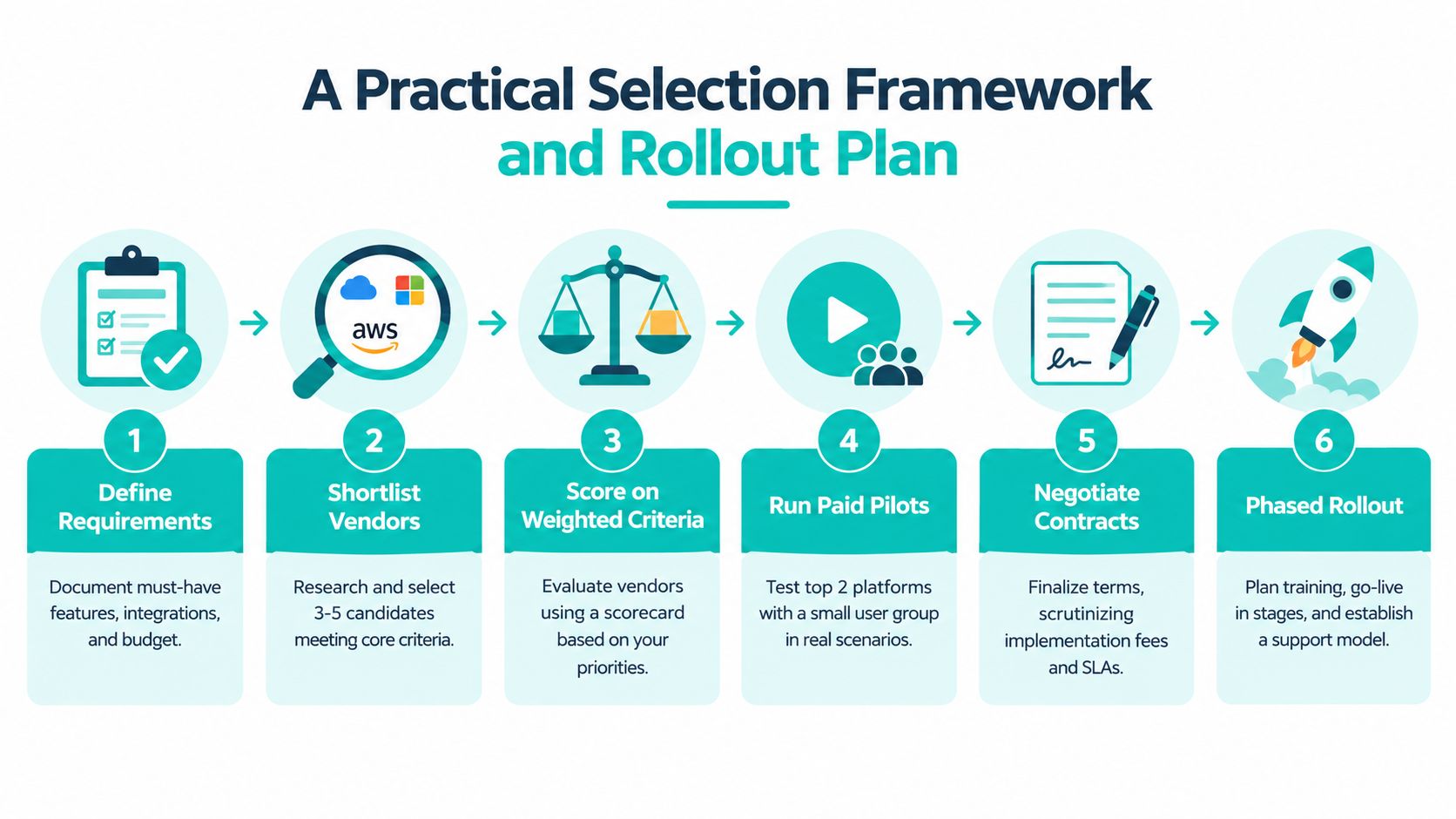
The firms that waste money usually buy from the demo, not from the workflow. A better process is boring, disciplined, and harder to game. Start with the work you need the software to handle, then score vendors on fit, implementation burden, and whether staff will use the thing after the first month.
A realistic 90-day rollout looks like this. Weeks one and two go to data migration and admin training. Weeks three through six are for pilot testing on one matter type. Weeks seven through ten should focus on firm-wide training. Weeks eleven and twelve are the cutover and cleanup period. If a vendor says the firm can skip the discipline and still get adoption, they're selling convenience, not results.
The line items firms miss most often are data migration, training hours, integration setup, support tier upgrades, and per-user overages. Those aren't side issues. They're the difference between a sensible rollout and a budget surprise.
Ask each vendor for proof on the basics too. Security certifications, uptime commitments, API access, and exit clauses matter because you're not just buying software, you're committing the firm's records to a system. And because remote work touches privacy, practices should confirm how their obligations apply under the HHS HIPAA Security guidance for remote access, which stresses risk analysis and risk management, policies and procedures for safeguarding ePHI, and security awareness training (Buchalter on HHS HIPAA remote access guidance).
The signed contract is the easy milestone. The hard part is getting attorneys and staff to use the same workflow every day, without constant nudging from the office manager. That is where most firms get stuck, because the tool is technically live while the process is still half on spreadsheets and half in email.
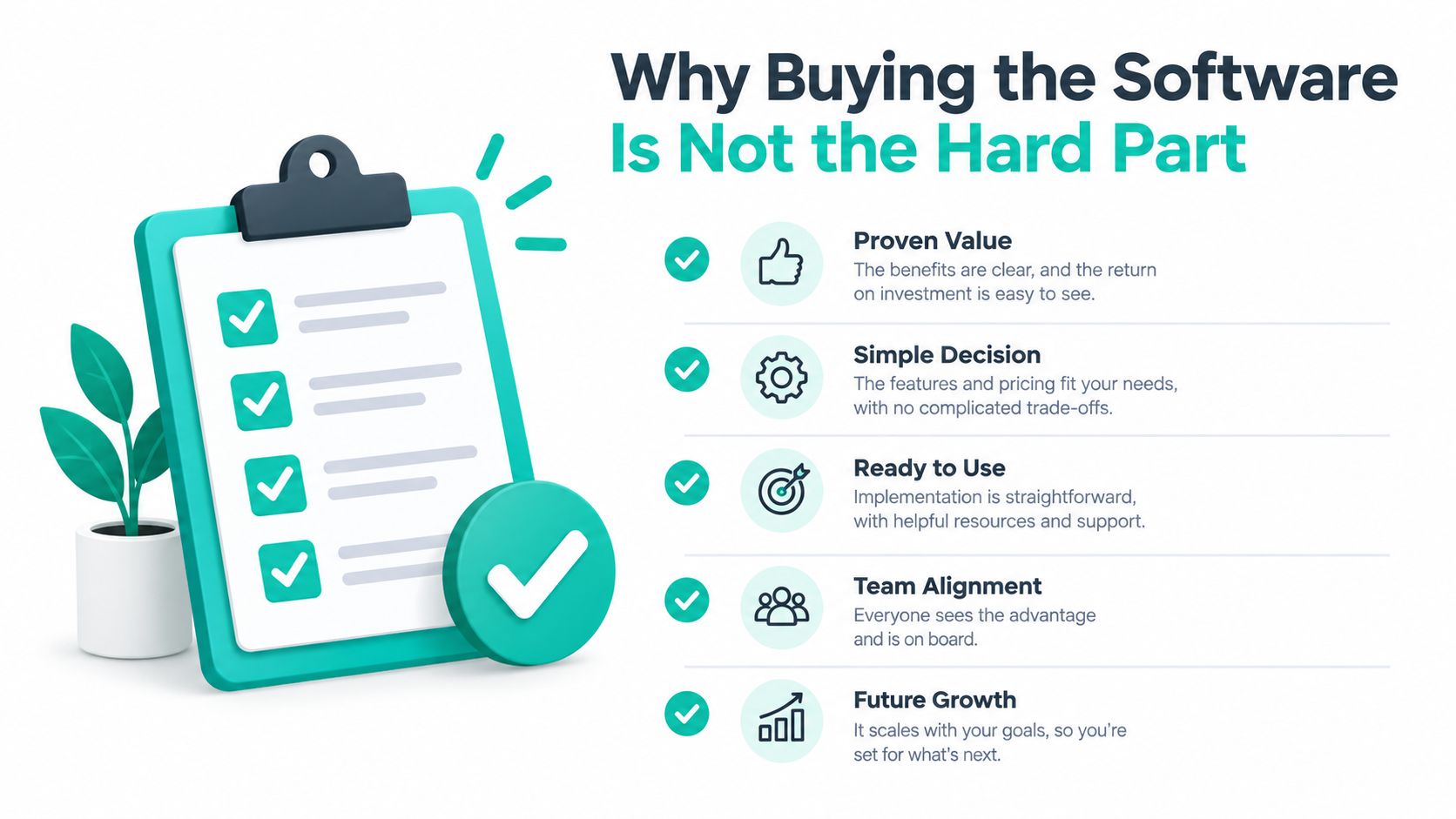
The clearest failure pattern is uneven usage. One team member enters intake notes faithfully, another keeps a private spreadsheet, and a third sends calendar updates from email because that feels faster. The software then becomes a reporting shell instead of the place where work happens.
That's why implementation needs a named internal owner, written SOPs for intake, calendaring, drafting, and status updates, plus weekly adoption reviews during the first quarter. If client-facing work matters to your practice, portals and messaging need to be part of the rollout, not an optional add-on nobody trains on. If bilingual communication matters, the workflow has to support it from day one.
Remote support roles can help here when the firm needs consistent execution inside the software. A legal virtual assistant can be used for intake calls, scheduling, case-system updates, and billing administration, which is often exactly the kind of repetitive work that makes adoption stick.
Treat the buy as the start of a six-to-twelve month operating change, not a procurement event. The software will not fix bad intake forms, vague ownership, or sloppy template libraries on its own. Those problems only improve when the firm decides the system is the way work gets done, not an extra place to check.
The firms that succeed are usually the ones that are disciplined about standard work, not the ones with the fanciest configuration. Software supports consistency. It does not create it for you.
Legal case management software is a fit problem, not a feature problem. The right platform is the one that can carry your intake, calendaring, document prep, billing, and client communication without forcing staff back into shadow systems.
If your firm serves bilingual clients, handles repeated document workflows, or needs stronger intake-to-calendar control, prioritize platforms and staffing that support those realities instead of pretending a generic setup will be enough. The firms that get value from these systems treat rollout as a 90-day operating change, then keep tightening the process until the software becomes the default place work lives.
Start with two or three vendors that match your firm size and practice area, run a paid pilot on real matters, and measure adoption against intake cycle time and calendar errors before you sign a long contract.
Virtual Legal Assistants helps U.S. law firms build the staffing side of that workflow with pre-vetted bilingual legal support professionals based in Latin America. If you're evaluating legal case management software and need help turning it into daily operating practice, visit Virtual Legal Assistants to see how remote legal support can fit around your intake, scheduling, and case-update process.