
 19 minutes read
Law firm receptionist duties typically include answering and routing calls, managing messages, coordinating calendars, supporting intake, collecting approved administrative information, initiating conflict-screening workflows, using connected software, and following confidentiality and security procedures. In one 2024 industry benchmark, only 40% of firms answered incoming calls, down from 56% in 2019, which makes reliable reception a business-control function rather than a simple greeting role.
A new client may call while an attorney is in court, an existing client may leave an urgent message, and a consultation request may compete with a deposition calendar. If no one owns the next step, the firm risks a lost lead, an overlooked deadline, a double-booked attorney, or an incomplete conflict search. An effective receptionist protects attorney focus while capturing accurate information, coordinating the right response, and escalating matters without giving legal advice.
The eight duties below organize reception around those operational risks. They apply differently in a solo practice, a high-volume plaintiff firm, and a firm using remote bilingual coverage. Procedures, permissions, retention rules, and escalation paths should be adapted to the firm's practice areas and jurisdictions.
The first responsibility is to make sure each caller reaches the right destination without forcing attorneys to answer every interruption. A receptionist identifies whether the caller is a prospective client, existing client, court contact, opposing counsel, vendor, referral source, or personal caller, then uses the firm's routing rules to determine what happens next.
A personal injury firm might send a new injury inquiry directly to an intake specialist while routing a referral conversation to business development. An immigration practice may use a bilingual receptionist to record the caller's location, visa category, and timeline before sending the inquiry to the appropriate attorney. In family law, an emergency protective-order or custody call may go straight to the on-call attorney, while a routine consultation enters the scheduling queue.
Receptionists must stay within administrative boundaries. They can document the caller's concern and urgency, but they shouldn't evaluate legal merit, predict an outcome, or recommend a legal strategy.
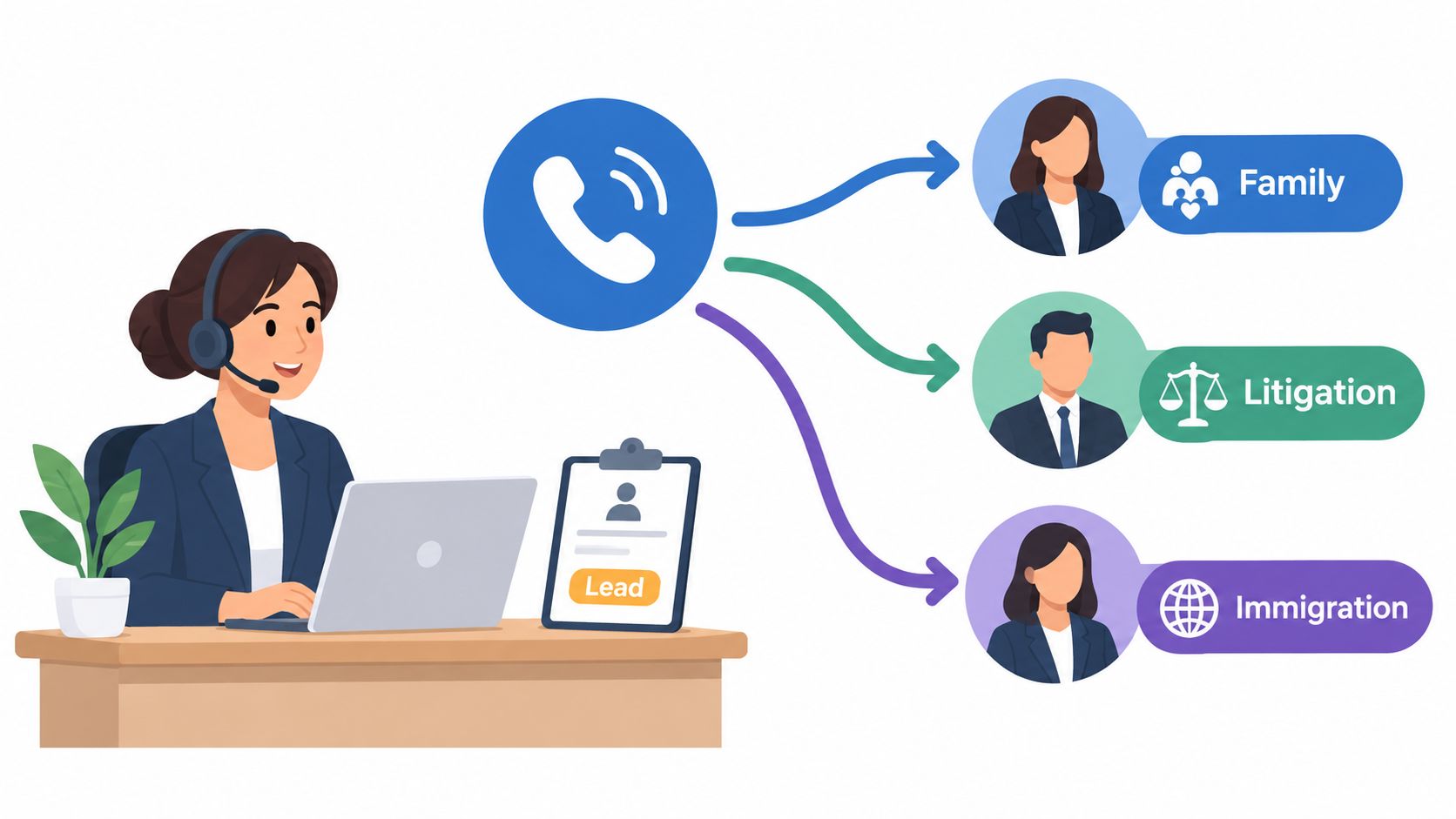
A written routing matrix should identify the responsible person by practice area, call type, urgency, and availability. It should also name a backup contact when the primary attorney is in court, taking a deposition, or unavailable.
A practical call record captures:
The firm should review the matrix regularly, test recorded greetings and office-hours messages, and use call-volume information to identify coverage gaps. A solo practice may need a receptionist who answers during a deposition and sends a structured message. A larger firm may need department queues and overflow coverage. Firms evaluating dedicated remote coverage can review law firm receptionist support that aligns answering rules with the firm's voice and software.
A message is only useful if it is complete, delivered to the right person, and easy to find later. Receptionists handle calls from clients, court staff, opposing counsel, insurance representatives, vendors, and referral partners, each with different urgency and documentation needs.
Suppose a court clerk calls about a hearing-date change. The receptionist should capture the clerk's name and contact information, record the new date and time, create the appropriate alert, and notify the attorney and case manager through the agreed channel. An email from opposing counsel containing a settlement demand should be flagged and delivered through the firm's matter workflow rather than left in a general inbox.
A consistent message template should include the caller's name, callback information, matter or case reference, summary, timestamp, receptionist identity, priority, and delivery confirmation. Complex names, dates, claim numbers, dollar figures, and deadlines should be repeated back to the caller for confirmation.
A useful internal priority system might separate urgent same-day matters, important next-business-day matters, and routine messages. The labels themselves matter less than consistent definitions and a clear escalation route.

Practical rule: A receptionist shouldn't decide what legal action a message requires, but should know exactly who must see it, how quickly, and what to do if no one acknowledges receipt.
For a solo attorney, an urgent voicemail from an insurance adjuster may need transcription, a matter tag, and a task reminder. In a larger firm, an urgent message may trigger a notification to an attorney, case manager, and supervising administrator. Bilingual teams should maintain a legal-term glossary and require read-backs of critical information in both languages when needed.
The firm should audit message delivery and follow-up rather than assuming that an email was read. Clio's secret-shopper research found that 40% of firms answered phone calls live, 39% went to voicemail, and more than half failed to return voicemails within 72 hours. The same research reported that clients expected responses to email, contact forms, or voicemail within 24 hours, so callback discipline belongs in the firm's intake process, not just its receptionist job description. See Clio's research on law-firm response practices for the cited findings.
Calendar management is more than finding an open slot. A receptionist coordinates consultations, court appearances, depositions, internal meetings, preparation time, travel, video links, and client preferences without exposing the firm to preventable scheduling failures.
In litigation, one deposition may involve several attorneys, opposing counsel, a court reporter, and participants in different locations. In immigration, an attorney's calendar may need preparation time before a USCIS appointment. A solo practitioner should block travel and preparation around court appearances rather than treating every visible gap as bookable consultation time.
The firm should create appointment templates by matter type and define standard durations. Color labels can distinguish consultations, hearings, depositions, internal meetings, administrative blocks, and unavailable periods. Receptionists should have written permission rules for moving attorney commitments, adding urgent matters, and using backup calendars.
A scheduling workflow should include:
Firms may use self-rescheduling links for routine consultations, but those tools shouldn't override court holds, preparation blocks, or matter-specific restrictions. A receptionist still needs authority to intervene when an automated booking creates a conflict.
The right scheduling model differs by firm. A high-volume personal injury practice may distribute consultations among several attorneys and intake staff. A boutique litigation firm may need manual coordination for every deposition. Remote staff can manage calendars effectively when they have current permissions, clear time-zone rules, and access to the same scheduling system as the in-office team.
A caller may describe an accident, visa problem, or custody dispute before the receptionist knows whether the firm handles the matter. The receptionist's role is to collect approved facts, identify administrative fit, flag urgency, and route the inquiry. Legal judgment remains with an attorney or trained intake specialist.
Start with the firm's intake path, not an improvised conversation. A personal injury form may request the accident date, insurer, policy information, opposing driver, injury type, and treatment status. Immigration intake may capture visa category, arrival date, prior representation, and deadlines. Family-law intake may flag children, custody concerns, separation timing, or domestic-violence disclosures for immediate attorney review.
A short live questionnaire keeps calls consistent. Follow-up staff can collect detail after the firm agrees to review the matter. During the call, the receptionist should:
The workflow should match the practice. A solo attorney may have a receptionist capture initial facts and request an attorney review. A high-volume plaintiff firm may separate call answering from a dedicated intake team that qualifies leads and manages consultation requests. Firms that need structured lead response can use legal intake support while keeping representation decisions with attorneys.
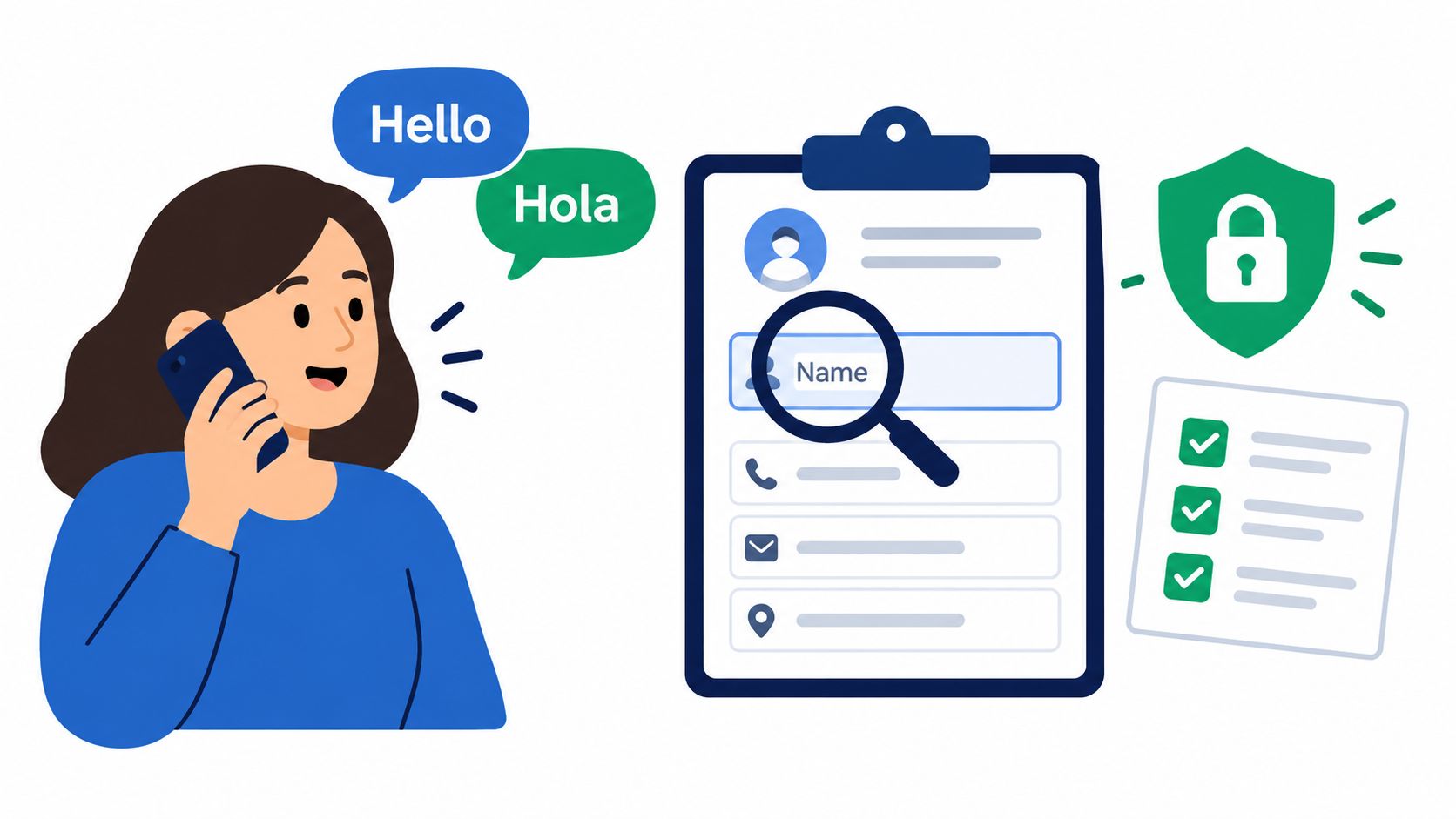
Remote bilingual staff can improve clarity for callers who communicate in another language. Give them an approved glossary, require read-backs for names and dates, and escalate ambiguous legal terms rather than translating a legal conclusion. Document the caller's preferred language and any communication limits so the next team member does not restart the process.
The receptionist also needs a clear handoff record. It should show what the caller reported, what remains unknown, who owns the next step, and when that step is due. That record reduces repeated questioning and helps the firm distinguish administrative qualification from legal advice.
Payment questions can stall an otherwise qualified inquiry. A receptionist should collect approved administrative details, explain the firm's established process, and create a clear handoff. Fee negotiations, retainer interpretation, and payment arrangements remain with authorized attorneys or billing staff.
Start by identifying the billing contact, preferred payment channel, billing email, insurance information, retainer status, and any filing-fee logistics. In a family-law practice, the person scheduling a consultation may not control payment. In a contingency matter, use an approved plain-language script, then route questions about percentages, costs, or recovery terms to an attorney.
The payment workflow should reflect the firm's volume and staffing model. A solo practice may have the receptionist collect the billing details, mark unanswered questions, and request attorney review before sending instructions. A high-volume firm may separate call answering from intake and billing teams, with status fields showing whether payment is requested, completed, pending, or escalated. Remote bilingual staff should use approved payment terminology, confirm names and amounts by read-back, and escalate unclear fee language rather than interpreting it.
Use written scripts for each practice area. They should identify who may approve discounts, revise arrangements, resolve disputes, or explain an engagement-agreement clause. The receptionist can confirm an administrative step without promising representation or describing the agreement inaccurately.
Secure handling matters. Send a payment link through the firm's approved processor after authorization, and avoid recording card details in spreadsheets, email, or message threads. Remote staff need restricted payment access, individual credentials, and the same procedures as in-office employees.
Every interaction needs a useful record: who pays, what was requested, what was completed, what remains open, who owns the next step, and its due date. If a caller challenges a retainer, requests a discount, or seeks advice about a contingency arrangement, schedule the authorized decision-maker instead of improvising. This keeps administrative coordination separate from legal advice and gives the caller a reliable next step.
A caller can provide enough information for a consultation while still leaving out a party who affects the firm's conflict review. Receptionists reduce that risk by collecting names and relationships before the inquiry reaches an attorney or compliance reviewer. They do not decide whether representation is permitted.
The intake record should capture the caller's full name, exact spelling, opposing parties, insurers, employers, related family members, business entities, aliases, referral sources, and any people or organizations previously represented by the firm. In a corporate matter, ask about parent and affiliated entities. In a family matter, ask about relevant relatives or other connected people, even when the caller does not identify them as an opposing party.
Use a short, practice-specific script that explains the next step: the firm will complete a conflict check before confirming representation. This sets a clear expectation without disclosing internal results or implying that the firm has accepted the matter. Read names back to the caller and record uncertain spellings for review.
For a solo practice, the receptionist can flag the inquiry for attorney review before offering a consultation. A high-volume firm may route the record to a dedicated conflicts queue, with statuses such as awaiting information, pending review, cleared, declined, or attorney decision. Remote bilingual staff should use approved terminology, confirm names and relationships through read-back, and escalate unfamiliar entity names or unclear answers rather than guessing.
The reviewer or attorney makes the determination. If the firm previously represented a defendant in a personal injury matter, the receptionist should not explain the ethical analysis or suggest that consent will resolve it. The matter belongs in the firm's decline, consent, or attorney-review workflow.
Connect conflict information to the practice management system when the firm's configuration allows it, and retain an audit trail showing who entered the data, what remains missing, and who owns the review. Collecting information or placing a consultation on a calendar does not create an attorney-client relationship.
A missed integration can turn a completed intake call into a lost lead. Reception work may span the phone system, practice management platform, calendar, billing processor, document-signing tool, shared inbox, and website inquiry queue. The firm should define which system controls each record before staff begin copying information between tools.
The specific products may include Clio, MyCase, Filevine, CASEpeer, SmartAdvocate, Smokeball, RingCentral, or DocketWise. Product selection matters less than clear ownership of contacts, matters, appointments, messages, documents, and payment status. A receptionist should not have to guess whether a calendar entry or message record is current.
Start with the practice management system and map the receptionist's actual path: answer the call, create or locate the contact, record the inquiry, schedule or request an appointment, send the message, and confirm the next owner. Add an integration only when it reduces a defined point of manual work. API connections can limit duplicate entry, but they still need permission controls, testing, monitoring, and a manual fallback.
Set these rules in writing:
A solo practice may keep the workflow simple, with one authoritative system and attorney review for exceptions. A high-volume firm may need queues, ownership fields, and status reporting so unassigned inquiries do not sit in an inbox. Remote bilingual staff need approved terminology, individual accounts, and a clear escalation path when a caller's information does not match the record.
Remote administrative coverage can work when the firm provides secure authentication, defined access boundaries, and active supervision. Firms assessing legal virtual assistant services should compare the service with their software, schedule, and capacity to review work.
During an outage, use an approved phone tree or temporary message form. Enter records after restoration, and never place sensitive matter details in personal notes or unapproved messaging applications.
A caller asks whether a former spouse is a client. Another family member wants an update on a matter. A distressed person reports an emergency. Reception staff must respond consistently without confirming representation, disclosing information, or giving legal advice. Written procedures make those decisions practical at the front desk and during remote coverage.
Confidentiality applies to caller identity, matter descriptions, contact details, payment activity, court information, and conflict data. Staff should have approved responses for sensitive questions, a defined escalation route, and a record of what was received and where it was sent. The firm's policy and applicable professional obligations determine the response, so uncertain situations go to an attorney or designated intake professional.
Security controls should support the workflow rather than sit in a rarely opened manual:
A solo practice can use a short decision tree: identify the caller, avoid confirming representation, record the request, and route exceptions to the attorney. A high-volume firm should add escalation queues and review logs so sensitive requests do not remain unresolved. Remote bilingual staff need the same access limits and supervision, plus approved terminology for client-facing calls. Spanish-language capability improves communication, but it does not replace legal training or firm procedures.
Reception staff also need a clear boundary around legal judgment. Questions about expired deadlines, adequate documents, likely outcomes, or whether the firm will accept a matter belong with an attorney or designated intake professional.
Remote administrative coverage can work when the firm defines supervision, access, authentication, and documentation requirements. Firms assessing legal virtual assistant services should compare the service with their software, schedule, and capacity to review work. When jurisdiction, practice area, or technology creates uncertainty, consult qualified professional-responsibility or compliance counsel.
| Service / Function | Implementation Complexity | Resource Requirements | Expected Outcomes | Ideal Use Cases | Key Advantages |
|---|---|---|---|---|---|
| Inbound Call Screening and Routing | Medium, call-routing logic, scripts, integrations | Firm phone system, trained receptionists, secure PMS access | Fewer missed calls; qualified leads routed correctly; reduced attorney interruptions | High-volume intake, after-hours coverage, bilingual needs | Immediate response, better lead capture, protected attorney time |
| Message Management and Documentation | Medium, multi-channel capture, urgency workflows | Voicemail transcription, PMS logging, alerting tools, trained staff | Auditable message trail; fewer missed deadlines; prioritized follow-up | Time-sensitive matters (court dates, opposing counsel communications) | Compliance record, urgent alerts, reduced information loss |
| Calendar Management and Appointment Scheduling | Medium–High, sync, conflict detection, timezone handling | Shared calendars, scheduling tools, video integrations, receptionist oversight | Fewer double-bookings; optimized billable time; reduced no-shows | Multi-attorney firms, litigation travel, remote hearings | Conflict prevention, scheduling efficiency, automated reminders |
| Client Intake and Qualification | Medium, standardized forms, conflict flags, routing rules | Intake forms with conditional logic, PMS, trained intake staff | Higher-quality leads; less re-interviewing; early conflict/urgency ID | Personal injury, immigration, family law, high-volume lead capture | Consistent data capture, faster case acceptance, improved conversion |
| Billing and Payment Information Collection | Medium, PCI compliance, retainer workflows | PCI-compliant processors, billing module, standardized scripts | Faster retainer collection; clearer fee expectations; improved cash flow | Firms requiring upfront retainers, contingency cases, recurring billing | Reduces disputes, accelerates revenue, identifies payment risk early |
| Conflict of Interest Screening | Low–Medium, structured capture plus formal searches | Conflict-check tools, PMS integration, trained receptionists | Early conflict detection; protected ethical compliance; referral handling | Corporate/multi-party matters, frequent referrals, firms with compliance teams | Prevents malpractice, creates audit trail, enables informed referrals |
| Software, Integrations & Technology | High, API integrations, end-to-end testing, access controls | IT support, vendor licenses, API-enabled tools, training | Synchronized workflows; reduced manual entry; centralized data | Firms scaling operations, remote reception coverage, automation goals | Automation, data consistency, unified audit trails |
| Compliance, Data Security & Best Practices | High, policy design, audits, multi-jurisdictional rules | Training programs, encryption, role-based access, monitoring | Lower ethical/data risk; predictable, auditable workflows; client trust | Sensitive practices (immigration, family), multi-state firms, regulated matters | Risk mitigation, regulatory compliance, strengthened client confidentiality |
Law firm receptionist duties work best as a connected control system. Call routing determines who receives the inquiry, message management preserves the details, calendar discipline creates the next appointment, intake gathers approved information, payment procedures reduce friction, conflict screening protects the firm, integrated software carries the record forward, and access controls limit unnecessary exposure.
Start by documenting one complete workflow for each major call type. A solo practice may need a simple path for new leads, existing clients, court contacts, and emergencies. A high-volume firm may need separate reception, intake, case-management, and billing queues. A firm using remote bilingual staff should add language-routing rules, glossary standards, schedule coverage, and a clear supervisor for escalations.
Test the workflow with realistic scenarios before relying on it. Have someone call while the attorney is unavailable, submit an inquiry with a hard-to-spell name, request an appointment across time zones, mention several related entities, and ask a fee question outside the receptionist's authority. Then check whether the record is complete, the right person received it, the calendar remains accurate, and the receptionist avoided legal advice.
Review operational evidence regularly. Look at unanswered calls, callback completion, message acknowledgments, scheduling corrections, conflict-review delays, payment handoff errors, and software failures. The practical target is not merely a high answer rate. It's a process that gives callers a clear next step and gives attorneys reliable information without unnecessary interruption.
Coverage can be in-house, part-time, full-time, or remote. Remote staffing may fit a firm that needs consistent answering, overflow support, or bilingual English-Spanish communication, while an in-office receptionist may remain preferable when visitors, mail, courtroom documents, or sensitive physical records dominate the role. Choose based on workflow, supervision, systems, and risk, not on location alone.
Virtual Legal Assistants can help U.S. law firms evaluate bilingual, pre-vetted LATAM reception and intake professionals who work with firm schedules and software, with interview-before-hire available through Virtual Legal Assistants.
Virtual Legal Assistants connects U.S. law firms with bilingual LATAM reception and intake professionals for call answering, routing, scheduling, follow-up, and related administrative workflows. If your firm needs remote coverage aligned with its practice-management software and working hours, visit Virtual Legal Assistants to review staffing options and interview candidates before hiring.