
 16 minutes read
If your day starts with missed calls, a partner asking where a draft went, a scheduler trying to reshuffle consults, and an inbox full of clients waiting for updates, you're already seeing where a personal assistant remote can help. In a law firm, this role isn't just someone who “takes tasks off your plate.” Done well, it's a remote operations support role that owns recurring workflows like calendar control, inbox triage, intake follow-up, billing coordination, document routing, and case-system updates.
That distinction matters. A generic assistant can lighten the load for a week or two. A workflow-owning remote assistant can stabilize how the firm runs. That's one reason the market has expanded so quickly. One industry summary estimates the global virtual assistant services market grew from $3.41 billion in 2020 to $19.6 billion in 2025, with a projection of $23.8 billion in 2026, and it identifies administrative and operations virtual assistants as the largest segment at 42% of 2025 market revenue, or about $8.23 billion according to this virtual assistant industry summary.
Law firms are a natural fit for that model because the pressure points are predictable. Someone has to manage scheduling, follow up with prospective clients, keep attorneys from living in their inboxes, and make sure matter data gets entered into Clio, MyCase, Filevine, or whatever system the firm runs. The firms that get strong results don't hire a remote assistant as a catchall. They hire for ownership, define boundaries clearly, and build the role around confidentiality, responsiveness, and repeatable process.
In practice, a remote personal assistant for a law firm sits between attorneys' time and the daily administrative drag that eats it up. That usually means they handle the front half of communication and coordination while the legal team keeps control of legal judgment, strategy, and licensed work. A strong assistant can screen and route emails, confirm appointments, send reminders, maintain task lists, coordinate billing follow-up, update client records, and make sure deadlines don't disappear into someone's memory.
For solo and small firms, that often starts with one overloaded owner who needs relief from constant interruption. For midsize firms, the issue is different. Work isn't only overloaded, it's fragmented. Intake lives in one person's notes, billing follow-up lives in another inbox, and calendar changes depend on whoever happens to see the message first. A remote assistant can bring order to that if the role is designed correctly.
A lot of firms also feel more comfortable hiring remotely now because remote work is no longer treated as a temporary exception. A 2026 industry compilation reports 34.6 million U.S. employees work remotely at least part-time, representing 22% of the workforce, and says about 79% of remote-capable workers are in hybrid or fully remote arrangements according to these remote work figures. For hiring, that means distributed support is easier to explain internally and more normal to candidates.
If you're weighing whether this model fits your firm, the practical answer is simple. It works when the work is recurring, rule-based, and documentable. It struggles when the firm expects mind-reading, leaves procedures unwritten, or treats the assistant as a floating fix for every operational problem. Firms that want role-specific support can also review how legal virtual assistants are typically used in law firm workflows.
The fastest way to waste a remote hire is to use the wrong title for the wrong job. Many firms say they need a remote personal assistant when they need an intake specialist, a receptionist, or a legal assistant. Those jobs overlap, but they don't own the same outcomes.
A law-firm-focused remote personal assistant usually owns coordination, not substantive matter work. That includes calendar management, inbox sorting, reminders, follow-up, internal task tracking, billing-related admin, and case-system hygiene. If a partner misses deadlines because nothing is centralized, this role can help.
What this person should not be hired to do is broad legal support without training, unsupervised client advice, or work that belongs with a licensed or practice-specific role. That's where firms start calling one person a “personal assistant” while expecting receptionist coverage, intake conversion, document drafting support, and case management all at once.

Practical rule: Hire for the bottleneck you already have, not the title that sounds broad enough to cover everything.
| Role | Core Ownership | Best Fit When |
|---|---|---|
| Personal assistant remote | Calendar control, inbox triage, reminders, follow-up, billing coordination, admin task tracking | Attorneys are losing time to coordination and routine communication |
| Legal assistant | Matter support, document prep, filing coordination, procedural follow-through | The firm needs case-related support tied to practice workflows |
| Intake specialist | Lead response, qualification, consultation booking, follow-up on new inquiries | New leads wait too long for response or consults aren't converting consistently |
| Receptionist | Call answering, routing, message capture, basic scheduling | Phones are disrupting the team or calls are being missed |
| Case manager | Milestone tracking, client updates, file progression across active matters | The firm has many open files that need disciplined follow-up |
The right remote role looks different by practice area.
In personal injury, a remote personal assistant can be useful for attorney calendars and internal follow-up, but many firms get better value from intake or case-management support once lead volume climbs. If signed clients aren't being called back, the bottleneck isn't usually calendar admin.
In immigration, the line between administrative and workflow ownership matters even more. A bilingual assistant aligned to U.S. hours can help with consult scheduling, reminders, document chase, and status communication. If the person already understands DocketWise or firm-specific intake flow, onboarding is much smoother than with a general admin hire.
In family law, a personal assistant remote often works well when attorneys are overwhelmed by consult scheduling, court-date coordination, and heavy client communication. But if document collection and matter progression are chaotic, a legal assistant or case manager may be the better first hire.
The market is moving toward specialist, workflow-owning assistants rather than only broad task takers, and one trend report projects the virtual assistant market from about $19.5 billion in 2025 to $55.4 billion by 2035 while noting growing specialization and outcome-based arrangements in this industry trends overview. That matches what many law firms experience directly. A person who knows legal software, practice rhythms, and client sensitivity usually creates value faster than someone who is only organized.
Bilingual, U.S.-hours-aligned support can matter. If your office handles Spanish-speaking clients or needs live communication during business hours, language and schedule overlap aren't extras. They're part of the role design.
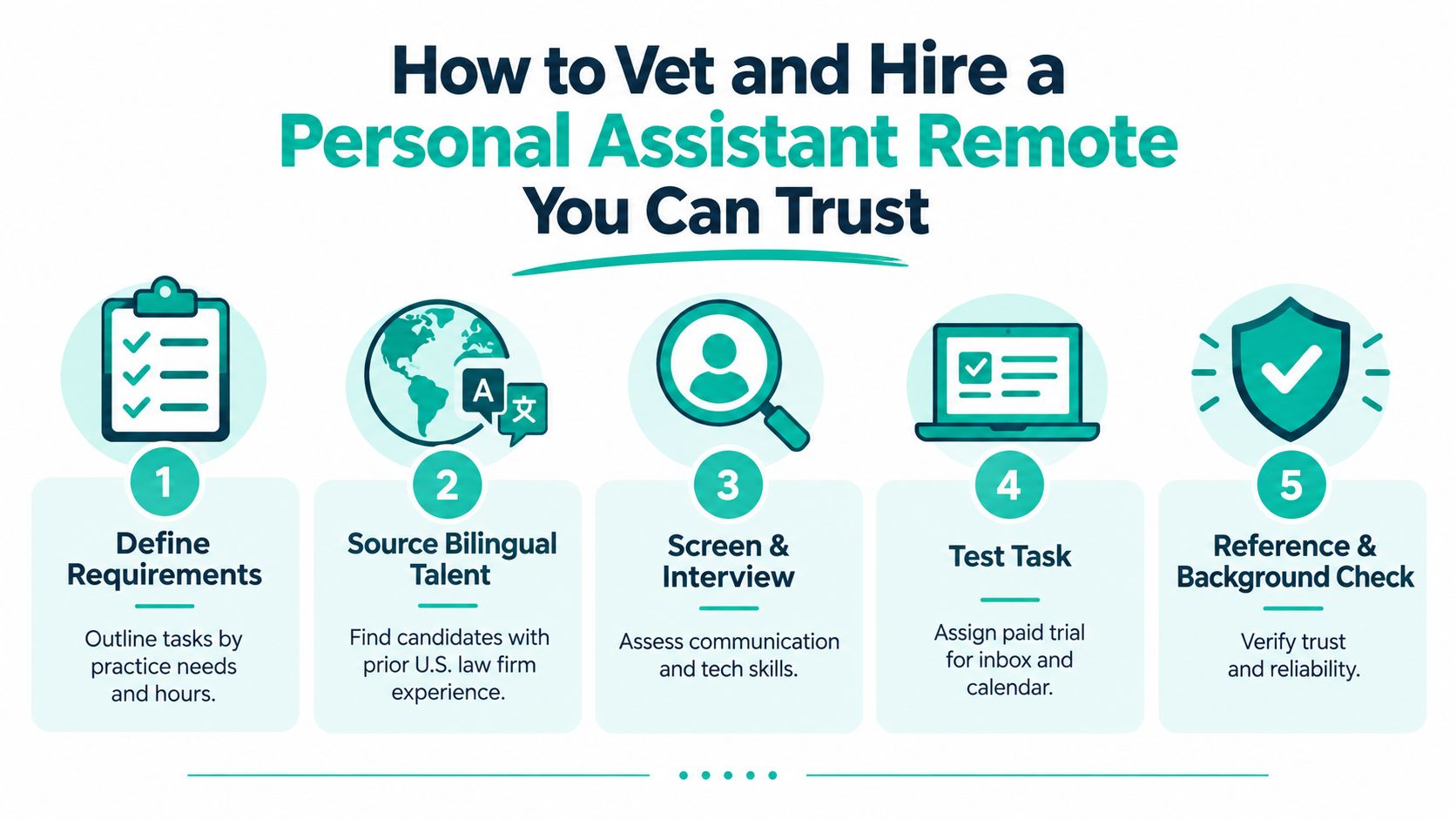
A remote hire is easy to mishandle because firms often move too fast on the wrong details. They screen for friendliness, availability, and a polished resume, then skip the harder questions about judgment, software habits, confidentiality, and communication under pressure. The safer approach is to hire backward from real daily work.
Write down what the assistant will own in the first month. Be precise. “Help with admin” is useless. “Monitor the managing attorney's inbox, flag client messages by urgency, schedule consults, send reminders, update task statuses in Clio, and follow up on unpaid invoices after approval” is workable.
That list also tells you whether you're really hiring a personal assistant remote or a different role entirely. It shapes the interview, the test assignment, and the permissions you'll grant later. It also stops scope creep before it starts.
A useful scorecard usually covers these categories:
Communication judgment
Can the candidate tell the difference between a scheduling request, a sensitive client complaint, and a message that needs attorney review immediately?
Software fluency
Look for practical familiarity with systems like Clio, MyCase, Filevine, CASEpeer, SmartAdvocate, Smokeball, RingCentral, or DocketWise when those tools are part of the role.
Workflow discipline
Ask how they track open loops, confirm completion, and escalate blocked tasks.
Confidentiality habits
Listen for how they describe access, passwords, document handling, and reporting concerns.
A good remote hiring process isn't complicated, but it should be consistent.
Start with an asynchronous screen. A short written or recorded response tells you a lot about organization, tone, and whether the person follows instructions. Then move to a live interview focused on scenario handling, not biography. Ask what they do when two attorneys ask for schedule changes at the same time, or how they handle a client message that sounds urgent but lacks context.
After that, use a paid test task. Have the candidate sort a mock inbox, create a clean calendar plan from messy inputs, or update sample matter notes inside a training environment. A remote assistant's actual value shows up in execution, not self-description.
If a candidate says they can “do anything,” keep digging. Strong assistants usually define their process clearly and know where they need instructions.
Background checks and reference checks matter more than firms sometimes admit. You're giving this person access to communication, schedule data, billing details, and often sensitive client information. Reliability is part of the skill set.
Some firms recruit directly. Others use agencies or staffing partners. Neither approach is automatically better. The question is whether the sourcing method matches your risk tolerance and timeline.
If you use a staffing partner, ask how they validate prior U.S. law-firm experience, whether they test software proficiency, and how they handle contracting or payroll if the hire is based outside the United States. For firms that want role-specific support, administrative assistants for law firms can be sourced through specialized legal staffing providers rather than broad freelance marketplaces. Virtual Legal Assistants is one example. The service matches U.S. law firms with bilingual legal support professionals in Latin America and includes role-specific screening, interview-before-hire, and Contractor of Record support.
Some problems look minor in interviews and become expensive once the person has access.
The firms that hire well don't chase charisma. They look for steadiness, structure, and evidence that the person can run recurring tasks without dropping details.
A strong hire can still fail in a weak operating system. Most remote assistant problems that firms describe as “performance issues” are really setup issues. Access was incomplete, instructions lived in someone's head, or nobody defined what counted as urgent.
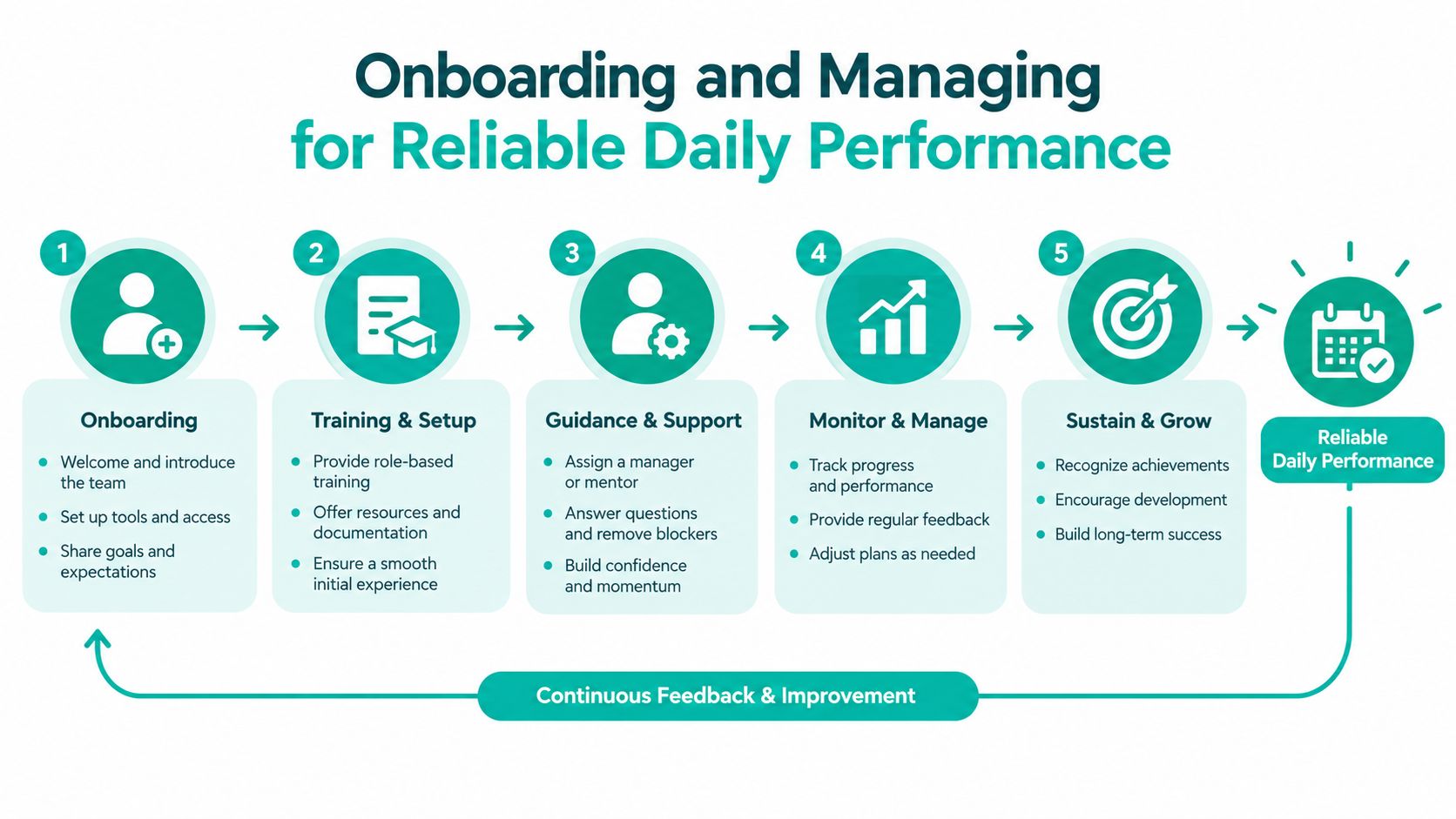
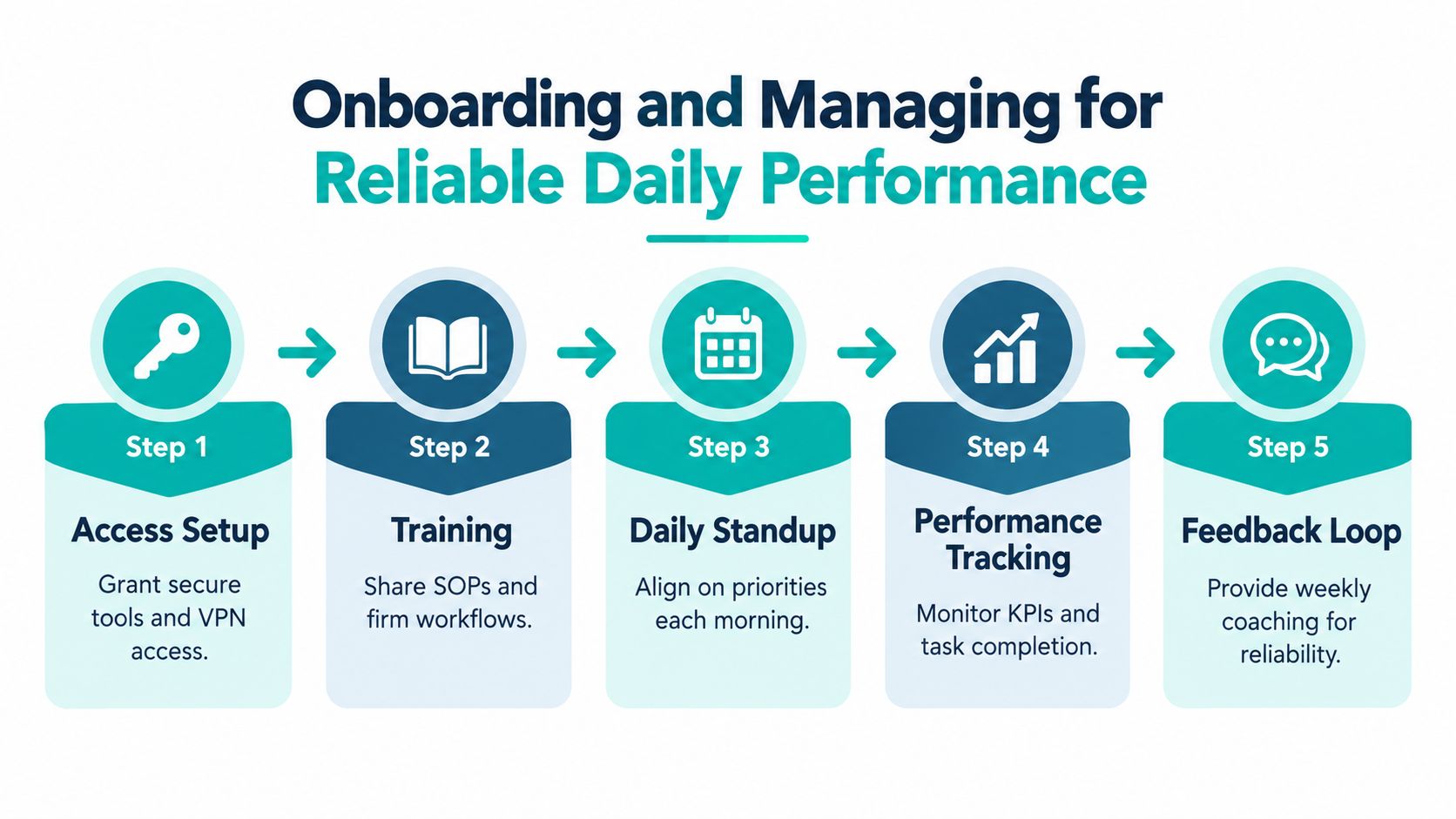
Start with a narrow set of owned tasks. In most firms, that means inbox triage, calendar support, reminders, scheduling follow-up, and system updates. Once those are running cleanly, add billing admin, consult preparation, or broader coordination work.
Give the assistant written standard operating procedures. They don't need to be elegant. They need to be usable. A short document showing how to label inbound leads, how to update matter notes, and how to handle scheduling conflicts is better than a polished handbook nobody reads.
A practical onboarding packet usually includes:
Tool access list
Email, calendar, case-management software, phone platform, file storage, and approved communication channels.
Response rules
What can be handled directly, what needs review, and what requires immediate escalation.
Matter naming and note standards
Especially important in Clio, MyCase, Filevine, and shared drives.
Daily and weekly rhythms
Morning priority check, end-of-day status update, and unresolved-items list.
Distributed work breaks down fastest when nobody defines when real-time collaboration happens. One remote collaboration study found teams within a ±0 to 2 hour time-zone range using richer synchronous tools had 12% of tasks delayed with an 18-hour average turnaround, while wider spread teams saw delays and turnaround increase according to this remote collaboration study. For law firms, the practical point isn't the abstract data. It's that live overlap matters for intake triage, approvals, deadline-sensitive communication, and anything that can't wait for the next reply cycle.
That doesn't mean the assistant has to mirror every office hour exactly. It means you need a protected overlap window each day for fast decisions.
Keep urgent work out of long email chains. Use a defined channel for same-day approvals, client escalations, and scheduling conflicts.
Don't evaluate the role only by whether the assistant seems busy. Measure whether attorney time is being protected and whether routine work is moving cleanly.
Useful management metrics include:
| What to track | Why it matters | What good management looks like |
|---|---|---|
| Billable-hours recovery | Shows whether attorneys are getting routine admin off their plate | Compare attorney time before and after delegation |
| Task turnaround | Reveals whether follow-up and updates move quickly enough | Set expected turnaround by task type |
| Error and rework rates | Shows whether the assistant is creating hidden cleanup work | Review missed details and adjust SOPs |
| Open-loop count | Prevents unfinished follow-up from piling up | Keep a visible list of pending items and owners |
The Bureau of Labor Statistics analysis on remote work and productivity found a positive association between increases in remote work and total factor productivity across private-business industries, but that doesn't mean remote status alone improves performance. In a law firm, output improves when tasks fit the model, procedures are clear, and supervision is disciplined.
If your team needs implementation help, workflow templates, or role guidance after hiring, the Virtual Legal Assistants help center is a practical reference point for legal support operations.
Remote support can save time and improve responsiveness, but only if the firm treats security and productivity as operating disciplines. Trust isn't a control. Access design, training, and supervision are.
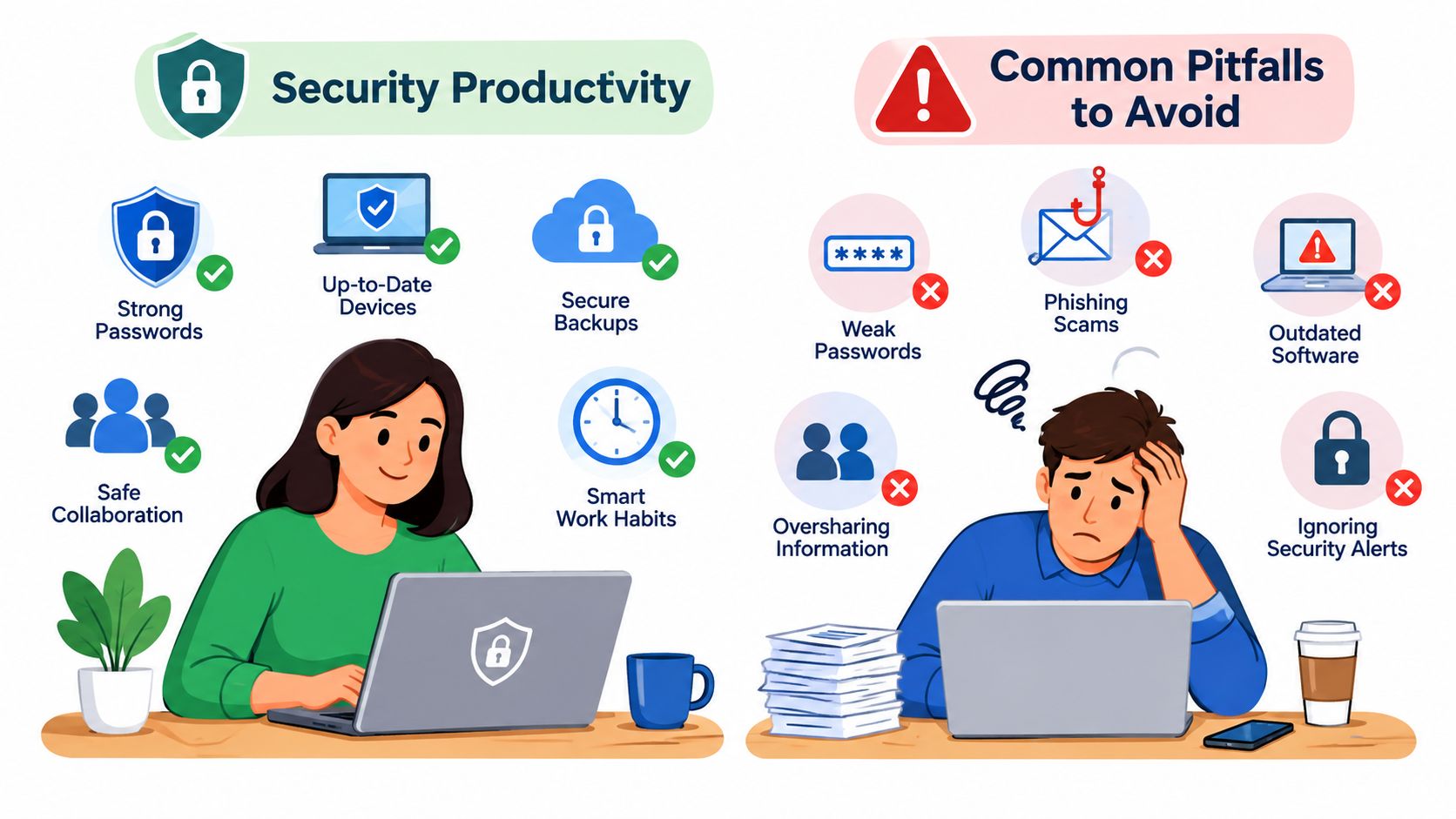
Even though the detailed HHS guidance is written for healthcare organizations, the underlying telework controls are useful for any regulated or confidential environment. HHS advises organizations to provide secure remote access such as a VPN, keep operating systems and apps updated, train staff on telework security and phishing risks, and require clear procedures for reporting suspicious activity and breaches in its telework security guidance.
For a law firm, that translates into practical controls:
HHS also states that remote access to protected information is permissible when organizations implement appropriate safeguards, including access authorization and technical controls that limit access to those with granted rights in its access-control FAQ. The principle applies cleanly to law firms. Remote work isn't the issue. Loose access is.
The most common mistake is assuming a remote assistant will naturally become efficient once hired. That rarely happens. Productivity usually suffers when the firm delegates fragments instead of workflows, relies on memory instead of documented process, or uses email for every urgent issue.
Another recurring problem is time-zone mismatch without scheduling discipline. A broader virtual assistant trend summary reports 62% of virtual assistants work across multiple time zones, 27% describe their roles as hybrid, and 72% of companies have adopted cybersecurity protocols for remote VAs in this virtual assistant statistics roundup. That tells you the model is workable, but only when firms build the operating rules intentionally.
Security and responsiveness don't come from hiring remotely or locally. They come from controlled access, documented handoffs, and clear escalation paths.
Giving full inbox access without rules
The assistant needs standards for what to answer, what to draft, and what to escalate.
No outage plan
HHS telework materials emphasize reporting incidents and handling disruptions such as power outages or technology issues in its telework program guidance. Law firms need the same basic continuity expectations.
Treating training as one-time
HHS remote-use guidance stresses risk analysis, risk management, policies, and security awareness training in its security guidance on remote use. For law firms, that means security reminders and workflow review should continue after onboarding.
Expanding scope too quickly
Start with controlled responsibilities, then widen access and authority after the assistant proves reliable.
A personal assistant remote can be a strong hire for a law firm when the role is built around ownership of repeatable administrative workflows, not random task relief. The firms that get value from this model are usually solving a concrete operational problem. Their attorneys are buried in calendar changes, inbox triage, follow-up, and system upkeep that doesn't require legal judgment but does require consistency and trust.
Hiring well depends on choosing the right role first, then screening for workflow discipline, software comfort, communication judgment, and confidentiality habits. Managing well depends on something different. You need written procedures, a daily overlap window for real-time decisions, and simple metrics that show whether the assistant is reducing attorney drag rather than moving it around.
If you're deciding whether to move forward, start smaller and narrower than you think. Pick one workflow cluster, define ownership clearly, and set the security rules before granting access. That's usually enough to tell whether the role should remain part-time, expand to full-time, or split into more specialized legal support as the firm grows.
If you want a faster path to this kind of hire, Virtual Legal Assistants connects U.S. law firms with bilingual remote legal support professionals who can handle calendars, inboxes, intake follow-up, and administrative coordination aligned to firm workflows. You can review role options, interview candidates before hiring, and choose part-time or full-time support based on the way your practice operates.